
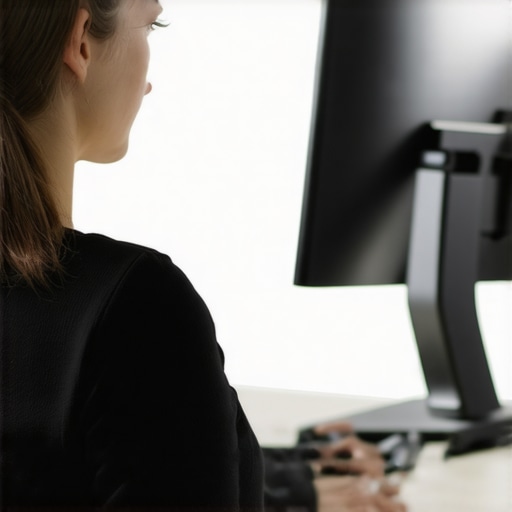
Picture this: I’m hunched over my desk, neck strained, shoulders aching after a long day of work. One day, I caught a reflection in my monitor and realized—my posture resembled that of a Quasimodo! It hit me hard. I wasn’t just slouching; I was unknowingly causing chronic pain that slowly snuck into my life. That moment was my lightbulb, a wake-up call that my workspace was sabotaging my health.
How My Obsession with Work Turned Into Backlash
For years, I thought heavy lifting or gym sessions were the culprits behind my stubborn neck tension. Turns out, the biggest issue was my monitor setup. I was so focused on productivity that I overlooked how my environment was silently pulling me into poor posture. I finally understood that my daily habits, especially how I positioned my screen, could make or break my comfort—and whether I would suffer from ‘tech neck’ or not. Today, I promise to share with you how I turned things around and how you can, too, create a workspace that supports your health rather than sabotages it.
Is Setting Up Your Monitor Really Worth the Effort?
Early on, I made a crucial mistake: I thought I could just extend my arm to reach the screen and call it a day. I didn’t realize that such shortcuts would lead to long-term pain. According to health experts, improper monitor height is a leading cause of neck strain. Investing a little time in ergonomics has saved me countless visits to the chiropractor—and I bet it can do the same for you. So, are you ready to make small but impactful adjustments that will transform your daily comfort? Let’s dive into how to do just that in a way that sticks.
If you’ve ever found yourself with a stiff neck after work, you’re not alone. Many overlook the impact of their environment on their posture. But with a few intentional tweaks, you can avoid the cumulative strain that leads to serious discomfort. So, how do I set up my monitor to prevent ‘tech neck’? Well, it all starts with understanding the common mistakes and what you can do differently.
Before we get to the practical fixes, remember—small changes lead to big results. If you’re tired of that nagging neck pain, stick around. The following steps are straightforward, backed by expert advice, and can be implemented today to start easing your pain tomorrow.
And hey, if you’ve already faced this problem, I’d love to hear your story. Drop a comment or contact me through this link. Let’s work together to make your workspace a pain-free zone!
Position Your Monitor at Eye Level
First, set your monitor so that the top of the screen is roughly at your eye level. I remember a time when I simply stacked books under my laptop, and it instantly reduced my neck strain. Use a monitor stand or a stack of sturdy books to elevate your screen. This way, your neck stays straight, avoiding the downward tilt that leads to discomfort.
Maintain Proper Distance and Angle
Next, keep the monitor about an arm’s length away, approximately 20-30 inches. The screen should be directly in front of you. I once moved my monitor closer because I thought larger text was better, but it caused eye strain. Proper distance prevents leaning forward or twisting your neck, promoting better alignment.
Ensure a Flat and Stable Surface
Place your monitor on a stable, flat desk to avoid wobbling or shifting. I used to notice my screen wobbling when I placed my laptop on an uneven table, which forced me to adjust repeatedly. A steady surface ensures consistent positioning, reducing unnecessary movements that strain your neck and shoulders.
Adjust the Screen Brightness and Contrast
Setting appropriate brightness and contrast levels minimizes eye fatigue. I experimented with my display settings and found that softer backgrounds and darker text helped my eyes relax, so I didn’t feel compelled to crane my neck to look closer or squint.
Implement Micro-Adjustments Throughout the Day
Throughout your work session, take a moment to reassess your monitor’s position. Small tweaks can make a significant difference, like tilting the screen slightly backward or forward for optimal viewing angles. I set alarms as reminders to check my setup, which kept my posture in check and eased persistent tension.
Use Visual Cues to Maintain Correct Posture
Place a sticky note or a small sign near your monitor as a reminder to keep your neck aligned. When I saw my note, I was conscious of my posture, preventing me from slouching or craning my neck. Consistent awareness is key to maintaining these ergonomic adjustments.
By applying these focused, step-by-step adjustments, I experienced immediate relief from neck and shoulder tension. Remember, tiny, conscious changes in your workspace can lead to lasting benefits. Regularly revisit your setup and tweak as needed to sustain comfort and prevent chronic pain from creeping in.
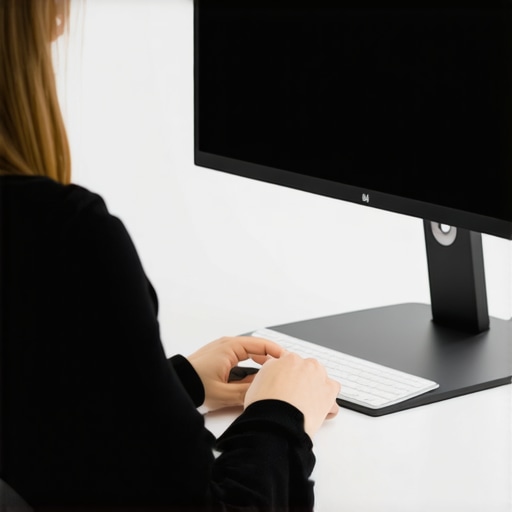 Many people believe that maintaining a perfectly straight spine at all times is the ultimate goal for avoiding back pain, but this is a misconception that can actually do more harm than good. In reality, posture is much more nuanced than just standing tall; it involves dynamic adjustments that respect your body’s natural curves and movements. One common myth is that slouching or
Maintaining good posture and back health isn’t a one-time effort; it requires the right tools and consistent routines. Over the years, I’ve fine-tuned my approach, combining ergonomic equipment with targeted exercises to ensure lasting results. One fundamental tool I swear by is an adjustable ergonomic chair that supports the natural curves of my spine. I chose the Herman Miller Aeron because its adjustable lumbar support and breathable mesh keep me comfortable over long work sessions. Personally, I adjust it daily, ensuring my pelvis remains tucked and shoulders relaxed, which aligns with recent studies emphasizing the importance of tailored ergonomic setups for sustainable posture.
Another game-changer is a monitor riser. I replaced my makeshift stack of books with a sturdy, height-adjustable stand, allowing me to set the top of my screen at eye level easily. This simple switch decreased my neck tension significantly. As experts highlight, a well-positioned monitor reduces strain and promotes better cervical alignment, which I experience firsthand. I also utilize a thick, cushioned footrest for when my feet are flat on the ground, encouraging a slight pelvic tilt that supports the lower back.
Beyond physical tools, I rely heavily on software prompts. Using apps like TimeHealth helps me set reminders for micro-breaks and posture checks. These small prompts keep me mindful throughout the day, preventing lengthy slouching episodes. Consistent use of such software has been linked to reduced discomfort over months of diligent practice.
In terms of mobility, I recommend incorporating daily stretching routines. The mobility strategies I practice include targeted thoracic rotations and hip openers, which keep my joints flexible and prevent the stiffness that often leads to poor posture. Using foam rollers and resistance bands, I work on releasing tight musculature that pulls the spine out of alignment. Integrating these tools into my routine has drastically improved my resilience and ability to maintain good posture during prolonged periods of seated work.
Looking ahead, I predict smart ergonomic devices with real-time feedback will become more prevalent. Imagine chairs with embedded sensors that alert you when your posture deviates, or desks that automatically adjust height based on your sitting habits. As technology advances, staying ahead with these innovations will be key to long-term back health.
So, how do I maintain proper posture over time? The key is consistency—daily micro-adjustments supported by ergonomic equipment and mindful movement. I challenge you to try adjusting your monitor to eye level today, perhaps by investing in a proper riser or stack of sturdy books, and observe how your neck tension eases. Remember, sustainable change comes from small, deliberate steps that build into lifelong habits. For personalized guidance, don’t hesitate to reach out and explore tailored solutions that fit your workspace and lifestyle.
What I Wish I’d Realized About Posture From the Start
- Keeping my shoulders relaxed effortlessly isn’t just a tip—it’s the cornerstone of preventing tension buildup. I once thought tensing up made me more alert, but I learned that intentional relaxation, especially in the shoulders and neck, dramatically improves comfort.
- Flexibility and strength are two sides of the same coin. Focusing solely on stretching left me with fleeting relief. Combining mobility routines with strengthening exercises created a sustainable foundation, reducing recurring pain episodes.
- The importance of daily micro-adjustments can’t be overstated. Tiny posture tweaks throughout the day—like resetting my monitor height or adjusting my seated position—accumulated into a significant decrease in discomfort over time.
- Ergonomic tools like adjustable stands and supportive accessories aren’t just gimmicks—they’re investment in long-term health. Personalizing these tools to fit my body made all the difference in maintaining good posture naturally.
- Consistency beats intensity. Small, habitual changes—like weekly mobility drills or deliberate posture checks—are more effective than sporadic, intense sessions. This approach built resilience and lasting habits, not quick fixes.
Tools That Transformed My Approach to Back and Posture Care
- Herman Miller Aeron: Its adjustability and breathability support me during long workdays, embodying best ergonomic design in my routine.
- Adjustable monitor riser: Replacing makeshift stacks with a proper riser optimized my screen position instantly, alleviating neck strain.
- Foam rollers and resistance bands: Incorporating targeted mobility drills with these tools kept my joints flexible and muscles balanced, preventing stiffness and pain.
- Posture reminder apps like TimeHealth: Regular prompts served as friendly nudges to maintain awareness, making good posture habitual instead of forced.
Steps Forward for a Pain-Free Future
Embarking on a journey toward better posture and back health is a personal adventure—one that’s about embracing small changes that lead to profound improvements. Remember, your daily environment and habits hold the power to either support or sabotage your well-being. Start today by adjusting your monitor to eye level, exploring ergonomic accessories, or integrating mindful movement routines. These seemingly simple actions set the stage for a more comfortable, pain-free tomorrow. If you’re ready to optimize your workspace or need tailored guidance, don’t hesitate to reach out. Your future self will thank you for making this commitment.