I remember the exact moment I realized my standing desk was betraying me. It was after weeks of subtle aches turning into sharp pains down my lower back. I kept shifting, adjusting the desk—hoping that maybe, just maybe, I could trick my body into adapting. But between you and me, ignoring the problem only made it worse. That lightbulb moment was my wake-up call: my desk setup was wrong, and I wasn’t alone in this mistake.
Why Getting Your Standing Desk Height Right Can Save Your Spine
If you’ve ever experienced persistent back pain or constant fatigue after hours at your desk, the culprit might be as simple as the height of your workspace. Yes, a tiny miscalculation in your desk position can lead to chronic issues over time. Standing desks are praised for promoting movement and reducing sedentary behaviors, but if not set up properly, they can become a source of discomfort instead of relief.
Research shows that improper desk height can cause muscle strain, spinal misalignment, and even contribute to long-term posture problems (source). Whether you’re working from home or in an office, making sure your standing desk supports healthy posture is essential for protecting your spine now and into the future.
Are You Wasting Time and Money on Temporary Fixes?
Early in my setup journey, I made a rookie mistake—shopping for fancy ergonomic accessories without first understanding the core problem: my desk height. It took some trial and error before I realized that small tweaks in positioning yielded lasting relief, rather than quick fixes that fizzled out after a few days. Trust me, investing in the right adjustments from the get-go is more effective than patchwork solutions. Want to avoid my mistake? Check out expert tips for setting up your workspace for better mobility and posture.
Now, let’s dive into three simple, evidence-based adjustments that can transform your standing desk experience and keep your spine happy in 2026 and beyond. Ready to say goodbye to back pain and hello to effortless mobility? Let’s get started.
Set Your Desk at the Correct Height
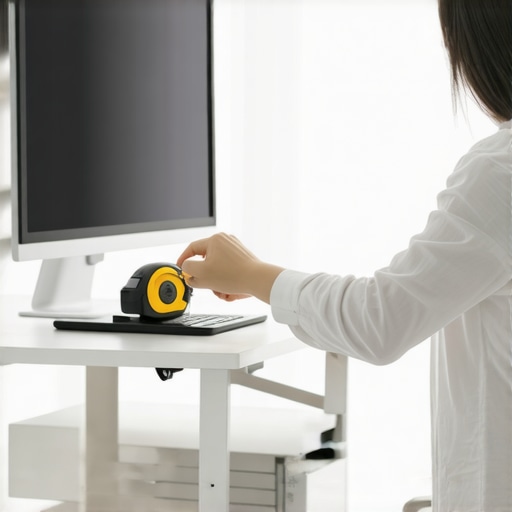
Start by measuring your elbows when standing naturally. Your desk surface should align with your elbows flexed at about 90 degrees, like a comfortable typing position. I vividly remember adjusting mine after noticing persistent neck tension—once I lowered the desk slightly, I immediately felt relief. Use a tape measure or a ruler for precision, and avoid guesswork—small differences matter.
Test Your Position
Place your hands on the keyboard and monitor while standing. Your wrists should rest comfortably without bending, and your eyes should be level with the top third of your screen. These are key indicators of a balanced setup. I initially overlooked this and ended up leaning forward, which intensified my back strain. After realigning, I felt the tension melt away, showing how vital accurate height adjustments are.
Secure Your Desk Properly
If your desk is adjustable, lock it in place once the desired height is achieved. For non-adjustable desks, consider adding ergonomic risers or platform wedges. Remember, stability is crucial—an unstable setup can cause subtle shifts in posture, leading to chronic pain over time. I learned this the hard way when a wobbling riser caused me to strain my neck trying to compensate. Double-check stability after adjusting.
Align Your Monitor for Optimal Viewing
Position your monitor so that the top edge is slightly below eye level. This prevents your neck from tilting upward or downward, which can strain cervical muscles and contribute to back discomfort. I used a stack of books to elevate my monitor temporarily; it felt awkward at first but significantly reduced my neck tension. Investing in a monitor stand makes this adjustment seamless and provides ergonomic benefits.
Maintain Proper Distance
Keep the monitor about an arm’s length away—roughly 20-30 inches. Too close can cause eye strain, while too far may lead to leaning forward, straining your back. I initially sat too close, which caused me to lean forward and slump—correcting the distance improved my posture and eased my lower back soreness.
Ensure Consistent Alignment
Your keyboard, mouse, and monitor should be at a similar height to promote a neutral posture. Avoid reaching or leaning, which stresses the spine. When I finally aligned my mouse with the keyboard’s height, I noticed my shoulder tension decreasing, proving that consistent positioning helps maintain spinal health.
Implement Daily Micro-Adjustments
The journey doesn’t end after one setup; your body requires ongoing fine-tuning. Regularly check and adjust your desk and monitor positions throughout the day. Small, intentional tweaks—like raising your monitor for a couple of minutes—can prevent stiffness and promote mobility.
For effective daily habits, review tips on daily postural adjustments. Remember, consistency in setup and micro-adjustments keeps your spine healthy and mobile over time.
Many assume that back pain stems solely from poor posture or injury, but the reality is far more nuanced. A common myth is that maintaining a perfect posture at all times is the key to preventing discomfort, yet this oversimplification ignores how dynamic our bodies truly are. In fact, rigidly fixating on static ‘ideal’ positions can sometimes lead to increased tension and stiffness, rather than relief.
An overlooked aspect is the importance of variability in movement and posture. The human spine is designed to move through different ranges, and consistently holding any position—no matter how ergonomically sound—can create imbalances over time. For example, sustained muscle contractions from holding a perfect posture may cause fatigue and pain. Advanced practitioners emphasize incorporating micro-movements and posture variability into daily routines, which has been shown to enhance spinal health and reduce chronic pain (source).
Another common misunderstanding involves the timing and frequency of adjustments. Many believe that a single chiropractic session will ‘cure’ back issues permanently. In reality, pain often results from complex, ongoing patterns of strain and tissue adaptation. Regular, strategic adjustments paired with active movement strategies are necessary to rewire neuromuscular pathways effectively. Neglecting this can cause temporary relief followed by recurrence of pain—what I call the ‘yo-yo effect.’
Why Does My Body Keep Reverting to Old Postures Despite Corrective Efforts?
This question highlights an advanced challenge: ingrained movement habits and muscular imbalances that resist change. Studies suggest that persistent bad habits—like slouching or forward head posture—are reinforced by neural pathways that need targeted retraining (see here). Simply knowing the ‘right’ posture isn’t enough; active efforts to reprogram muscle memory through functional movement exercises and neuromuscular re-education are essential. This process takes time and consistency, but yields sustainable improvements. Are you addressing the root neural patterns or just the symptoms? To dig deeper into effective strategies, explore mastering mobility.
It’s also vital to recognize that pain is often a symptom of underlying systemic factors such as core stability, pelvic alignment, or even emotional stress. Ignoring these aspects leads many down a path of superficial fixes that don’t produce lasting change. For example, strengthening weak core muscles while neglecting hip mobility can result in compensatory patterns that perpetuate pain. Incorporating comprehensive assessments and personalized plans is crucial.
In summary, understanding the nuanced interplay between movement variability, neural patterns, and systemic health can transform how we approach back pain. Don’t be misled by one-size-fits-all advice; instead, embrace a holistic, dynamic view of spinal health. For a deeper dive into effective adjustments and movement strategies, visit this resource. Have you ever fallen into this trap? Let me know in the comments.Maintaining your spinal health over time requires not just good habits but also the right equipment and strategies. One of my top tools is a high-quality ergonomic monitor arm, like the Fully Jarvis Monitor Arm, which allows precise height and angle adjustments. This flexibility helps you keep your monitor at eye level, reducing neck strain and promoting better posture throughout the day. I personally use it to fine-tune my setup, ensuring that even small positional changes can be made easily, preventing stiffness and discomfort from developing. Additionally, I swear by a foam roller with a grid surface, such as the TriggerPoint GRID Foam Roller. It’s incredibly effective for releasing myofascial tension in the thoracic and lumbar regions, which are often overlooked but vital for maintaining mobility. Regular self-myofascial release with this tool has kept my spine flexible and pain-free, especially during periods of increased stress or after long periods of sitting.
For tracking your progress and maintaining consistency, I recommend using a posture correction app like Upright. It provides gentle reminders and real-time feedback, helping you build habits that reinforce healthy spinal alignment. This kind of biofeedback encourages mindfulness and prevents habits that lead to chronic pain, such as slouching or forward head posture. I find it particularly useful for integrating micro-movements and posture adjustments into my daily routine.
Looking ahead, I believe the trend will continue toward integrated, smart home solutions that monitor posture and movement in real time, offering personalized adjustments to support spinal health effortlessly. Emerging tech like wearable sensors embedded in clothing or straps could provide continuous feedback and even guide you through corrective exercises tailored to your specific needs.
**How do I maintain these tools and techniques over time?** Regularly inspecting and updating your equipment, like replacing worn foam rollers or recalibrating apps, ensures optimal performance. Incorporating scheduled check-ins with a professional, such as a chiropractor or physical therapist, also helps sustain long-term benefits. Remember, the key is consistency—try implementing a daily 5-minute myofascial release routine using your foam roller, and monitor your posture with your chosen app for gradual improvement. For more detailed strategies on integrating tools into your posture routine, explore expert mobility tips. Don’t wait—try one of these tools today and experience how small adjustments can lead to lasting relief.
Three Surprising Lessons I Learned While Fixing My Back
- Relying solely on perfect static posture can backfire—incorporating gentle movement and micro-shifts is essential for long-term relief and mobility.
- Small, consistent adjustments trump temporary fixes; patience and persistence in aligning your workspace and habits finally pay off in reduced pain.
- Understanding the neuromuscular patterns behind bad habits is as crucial as the physical adjustments—neural retraining sustains lasting change.
My Favorite Resources That Keep My Spine Happy
- Expert mobility tips: Practical, science-backed strategies I apply daily to maintain flexibility and avoid stagnation.
- Daily postural tweaks: Small habit changes I use to keep my spine aligned and prevent discomfort from creeping in.
- Mastering mobility techniques: Movements and exercises that rewire neural pathways and foster sustainable, pain-free movement.
- Chiropractic adjustments for rapid relief: Trusted methods that have accelerated my progress when pain persisted beyond routine tweaks.
Your Next Step Toward Lasting Freedom from Back Discomfort
Embarking on a path to better posture and mobility is a journey worth taking. It’s about embracing gentle variability, consistent adjustments, and understanding your body’s neural habits. Remember, small daily changes can lead to profound transformations in how you move and feel. Why not start today? Explore some of the resources above, and don’t hesitate to reach out for personalized guidance—your spine will thank you for it. How have you managed to integrate micro-movements into your daily routine? Share your experiences below, and let’s learn together.
This post resonates with me because I used to underestimate the importance of precise desk setup, especially when working long hours from home. It’s fascinating how small changes in desk height and monitor positioning can make such a big difference in overall comfort, especially in preventing those nagging neck and lower back pains. I’ve found that regularly adjusting and testing my setup throughout the day really helps me stay comfortable and alert. The idea of implementing micro-shifts and variability in posture is something I’ve been experimenting with lately, and I agree that it can alleviate stiffness and muscular fatigue over time. I’m curious, how often do others find it effective to re-evaluate their ergonomic setup during a typical workday? Also, do you think incorporating movement breaks between micro-adjustments enhances spinal health even more? Appreciating this comprehensive approach to ergonomic health—it’s truly a game changer for anyone spending hours at a desk.