
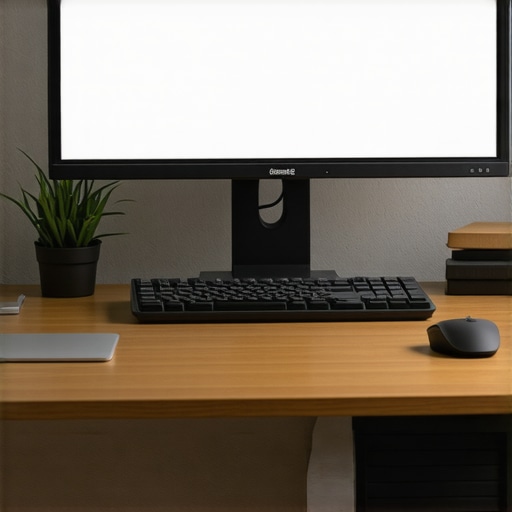
Have you ever caught a glimpse of yourself in the mirror or a window and realized your neck is craned forward, eyes glued to the screen below? That sinking feeling of realizing you’ve been looking down all day isn’t just about a sore neck—it’s a signal your posture might be screaming for help. I remember the first time I experienced that constant tugging discomfort, feeling like I was aging faster just by staring at my monitor the wrong way. It was a lightbulb moment: how I positioned my screen was directly impacting my back, neck, and overall comfort.
Why Your Monitor Placement Could Be Sabotaging Your Back and Neck
Now, I’m not here to make you believe in miracle fixes overnight. But I will tell you; small changes in your workspace can lead to massive improvements. Sitting with a monitor that’s too low or far away causes your head to tilt downward, straining your cervical spine and overloading muscles that weren’t built for it. Over time, this misalignment can lead to chronic pain, headaches, and even reduced productivity. That’s why understanding how to adjust your monitor correctly is so essential; it’s a game-changer.
But let’s be honest—sometimes we’re skeptical. “Is this really worth the fuss?” I get it. I was guilty of ignoring my setup for far too long, thinking stacking a few books under my monitor would do the trick. Big mistake. I suffered for it. The crucial point here is that improper setup isn’t just uncomfortable; it’s a health hazard. According to a study published in the *Journal of Physical Therapy Science*, poor workstation ergonomics significantly increase the risk of musculoskeletal disorders. That’s a fancy way of saying we’re harming ourselves without realizing it.
If you’ve faced this challenge—trying to get comfy but ending up with nagging pain—that’s exactly what I want to help you fix today. Because once I learned the right way to position my monitor, everything shifted. No more headaches, no more neck stiffness. Instead, I felt more energized and focused.
In the following sections, we’ll explore simple, effective steps to adjust your monitor height, distance, and angle. Trust me, these tweaks are easy but profoundly impactful. And if you want to dive deeper into daily habits that can alleviate back pain, check out [this guide](https://chiromasteryz.com/daily-adjustments-to-alleviate-back-pain-and-improve-posture). Ready to reclaim your workspace and your comfort? Let’s get started.
Align Your Screen for Optimal Comfort
Start by placing your monitor directly in front of you, about an arm’s length away. Think of it like positioning a mirror at eye level so you’re always looking straight ahead. I remember unboxing a cheap monitor, hastily setting it on my desk, and wondering why my neck ached after just an hour. Once I adjusted it to eye level, the discomfort vanished within days.
Adjust the Height of Your Monitor
Use sturdy boxes, a monitor riser, or adjustable arms to raise your screen so the top of it aligns with your eyebrows. Picture stacking textbooks under your monitor like a mountain pass—steady and precise. I once used a pile of old books, and after a few days, my neck felt relieved because I minimized the downward tilt that caused strain. Regularly check this position, especially if you change your seating habits.
Optimize Your Viewing Distance
Position your monitor so that you see the entire screen without moving your head side to side or leaning forward. Imagine balancing a tray evenly—distance is key. Sitting too close causes you to crouch, while too far leads to eye strain. I personally adjusted mine to about 20 inches away, which instantly reduced eye fatigue, and I could focus longer without craning my neck.
Set the Correct Screen Angle
Tilt your monitor slightly backwards so you’re not looking down at an extreme angle. Think of it as slightly raising the front of a book for easier reading. This minimizes the need to tilt your head downward, preventing cervical strain. I used to keep mine flat on the desk and found myself looking down constantly; tilting it just a few degrees made all the difference.
Use External Accessories for Precise Positioning
Leverage adjustable monitor arms or ergonomic stands for seamless adjustments. Visualize these as the steering wheels of your setup—give you full control. I installed an arm, which allowed me to swivel and tilt effortlessly, instantly improving my posture. If your current setup limits mobility, consider upgrading to accessories like these—your back will thank you.
Implement Micro-Adjustments Daily
Every morning or after significant work shifts, fine-tune your monitor’s position. Small tweaks—like a slight tilt or height adjustment—can prevent cumulative strain. I keep a checklist: check eye level, distance, tilt. Over weeks, these minor changes added up, reducing chronic discomfort. Make this part of your routine to sustain long-term health.
Maintain a Consistent Ergonomic Routine
Complement monitor placement with proper seating and posture habits. Your chair should support your lumbar curve and sit at a height where your feet rest flat. Think of it like tuning an instrument—every component works together. I found that aligning my chair height with my monitor prevented neck and back pain, especially during long work sessions.
For more detailed mobility strategies that work hand-in-hand with these setup tips, visit this resource. Remember, ergonomics isn’t just about equipment but how well you adjust and maintain your workspace daily. Small, deliberate actions ensure your posture stays supportive, preventing pain before it starts.
Many people believe that simply sitting up straighter or using a fancy ergonomic chair will completely eliminate back pain, but this oversimplification misses crucial nuances. In my experience, one of the biggest misconceptions is that posture correction alone guarantees relief, when in reality, habitual movement patterns and mobility issues often play a more significant role. Fixating solely on static alignment can lead to neglecting dynamic factors like joint mobility and muscle function, which are essential for long-term pain management. For instance, focusing only on lumbar support can trap you into a rigid mindset that ignores underlying mobility restrictions, ultimately perpetuating discomfort. According to Dr. Stuart McGill, a leading back researcher, integrating movement variability and tissue health is vital for sustainable back health—something many overlook when chasing quick posture fixes. One common trap is adopting a ‘perfect posture’ as a static goal, rather than understanding posture as a dynamic, adaptable state responsive to movement and activity. Additionally, people often think that stretching is always the solution, but over-stretching tight muscles without addressing underlying joint restrictions can worsen imbalances. This is why a comprehensive approach that includes mobility training, strength, and awareness is more effective. If you’re still relying solely on static adjustments or foam rolling without addressing the root causes, you may be doing more harm than good. Want a smarter way to approach your back health? Explore these expert-backed strategies for lasting relief. Remember, genuine progress comes from understanding the complex interplay between mobility, strength, and movement habits, not just fixing your posture in a chair. Let me know in the comments if you’ve ever fallen into this trap—awareness is the first step to real change.To keep your posture in top shape over time, investing in the right tools can make a significant difference. One of my go-to devices is the [ErgoLift adjustable monitor arm](https://www.ergolift.com), which I personally use daily. Its smooth adjustment features allow me to fine-tune my screen position effortlessly, preventing neck strain and ensuring consistent ergonomic alignment throughout the day. Unlike fixed stands, this arm helps me maintain optimal height and angle, reducing fatigue and promoting better spinal health.
Another essential tool is a high-quality lumbar support cushion, like the [ComfyBack ergonomic lumbar pillow](https://www.comfyback.com). I use mine for long sitting sessions, whether working or relaxing. It contours to my lower back, encouraging proper lumbar curvature and preventing slouching—common culprits behind chronic back pain. Regular use of such support reinforces good posture habits and sidesteps the pitfalls of prolonged poor positioning.
Digitally, I rely heavily on [f.lux](https://justgetflux.com) to adjust my computer’s display warmth based on the time of day. This helps reduce eye strain and fatigue, which often lead to poor posture when we’re uncomfortable or tired. By minimizing eye discomfort, I stay more consciously aligned, avoiding the tendency to lean forward or crane my neck.
Looking ahead, the trend is shifting toward smarter ergonomic tools that adapt in real-time. For example, sensor-integrated desks that monitor your posture and suggest adjustments or standing desks with built-in reminders are becoming more prevalent. These innovations aim to keep you aware of your habits and promote healthier movement patterns over the long haul.
**How do I maintain posture and mobility tools over time?** One method I swear by is routine calibration. For my monitor arm, I set a weekly reminder to check and adjust its position, ensuring it continues to serve me well as my workspace or posture needs evolve. Similarly, cleaning and inspecting support cushions monthly keep their shape and support intact. Incorporating these practices ensures your investment consistently benefits your health.
To fully maximize your setup, consider integrating mobility strategies that complement these tools. For example, periodic breaks to perform spine-stretching exercises or hip mobility drills can prevent stiffness that tools alone can’t address. For tips on boosting your flexibility, see [this guide](https://chiromasteryz.com/enhance-flexibility-top-mobility-strategies-for-active-living).
If you’re serious about sustaining optimal back health, I recommend trying a combination of an adjustable monitor arm and a lumbar support cushion. Adjust your workstation today, and notice how these small upgrades can lead to big gains in comfort and posture stability. For a comprehensive approach, reach out through [this contact page](https://chiromasteryz.com/contact-us-2) to get personalized advice.Through my journey, I’ve realized that some of the most profound lessons about effective posture and mobility come from personal trial, error, and reflection. One of my hardest lessons was how I underestimated the impact of tiny adjustments—like a millimeter of monitor tilt or a subtle change in chair height—that compounded over weeks into persistent pain. I used to believe that once I found a “good” position, I was done. But true comfort requires ongoing awareness and micro-adjustments. Additionally, I once thought mobility exercises were only for athletes; I didn’t realize how much daily movement variability could prevent long-term issues. Lastly, I learned that mindset plays a crucial role: viewing ergonomic setup as a dynamic process rather than a one-time fix transformed my approach from reactive to proactive, keeping pain at bay and energy levels high.