
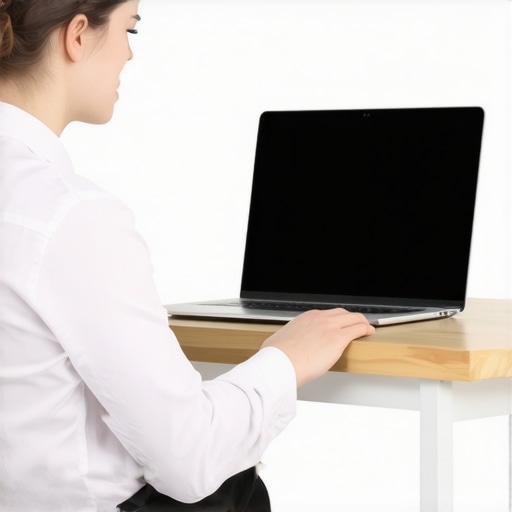
Ever found yourself battling a pounding headache after a long day of working at your laptop, only to realize that your screen was way too low or high for comfort? I used to dismiss those nagging aches as just part of typing away all day, until I finally caught myself with a crick in my neck and a throbbing skull. That lightbulb moment made me stop and think: could my workspace setup be causing all this?
Align Your Screen, Ease Your Headaches
Today, we’re diving into how the *height* of your laptop screen might be secretly sabotaging your health. The good news? You don’t have to accept constant discomfort. I’ll share simple adjustments that can dramatically improve your posture and wipe out those headaches. No fancy equipment or hefty costs—just practical tips drawn from my own experience and expert advice. Ready to ditch the pain and make your workspace work for you? Let’s get started.
Is Adjusting Your Screen Really That Important?
Early on, I underestimated the impact of screen height—thinking, “It’s just a little misalignment.” But I learned that even small posture mistakes can compound over time, leading to tension headaches and neck strain. According to a study published in the Journal of Physical Therapy Science, poor ergonomic setups significantly increase the risk of developing headaches and musculoskeletal disorders. So yes, ergonomics matter, and today’s focus on screen height could be the game-changer you need.
Adjust Your Chair and Desk First
Begin by setting your chair so that your feet are flat on the floor and your knees are at roughly a 90-degree angle. Your desk height should allow your forearms to rest comfortably parallel to the ground when typing. Think of this step as tuning a guitar—small adjustments here can create harmony in your posture. I once spent an entire afternoon tinkering with my chair height, only to realize I was still craning my neck. Once I lowered my chair just enough to keep my monitor at eye level, my headaches ceased within days.
Sit in Front of Your Screen
Position the Monitor Correctly
Place your laptop or monitor directly in front of you, about an arm’s length away. The top of the screen should be at or slightly below eye level. If your screen is too low, it’s like looking down a steep hill—you strain your neck to see properly. To fix this, elevate your device using books or a stand. I used a stack of old cookbooks to lift my laptop; it felt unorthodox but made a massive difference in relieving neck tension.
Use External Accessories
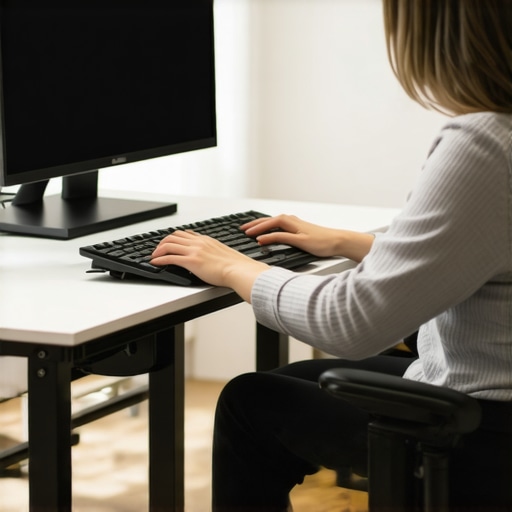
If you frequently work on your laptop, consider investing in an adjustable laptop stand and an external keyboard. This setup allows you to keep the screen at eye level while maintaining proper arm and wrist positioning. It’s akin to having a private control tower—everything aligned for smooth operation. After switching to an external monitor, I noticed my headaches diminished and my posture improved noticeably. For more posture correction secrets, check out posture correction tips.
Set Reminders to Reassess
Posture isn’t a one-and-done fix. Use phone alarms or sticky notes to remind yourself to check your setup throughout the day. Think of it as a personal coach gently nudging you back into alignment. I struggled with this until I started setting hourly alerts, which kept me conscious of my posture and prevented slouching. Regularly reassessing your screen height keeps discomfort at bay and ensures longevity in your workspace ergonomics.
Many assume that simple adjustments like raising your monitor or sitting up straight are enough to correct postural issues. However, the truth is more nuanced. The common myth is that static fixes—such as static height adjustments—are sufficient for long-term relief. In reality, posture is a dynamic process that involves ongoing movement and muscular balance. Experts emphasize that focusing solely on alignment without integrating mobility and movement variability can lead to new imbalances and persistent discomfort. For instance, relying only on static sitting posture ignores the importance of *mobility* exercises that help maintain tissue flexibility and joint health. Neglecting this can cause compensatory patterns, which may worsen pain over time. A frequent mistake is implementing a perfect posture correction, then failing to incorporate *functional movements* that reinforce healthy patterns in daily activities. Consider exploring strategies in [mobility mastery](https://chiromasteryz.com/master-your-mobility-top-strategies-for-moving-without-pain) to add movement variability, which is vital for sustainable posture correction. Additionally, many overlook that *posture correction* should be personalized, accounting for individual muscular imbalances and habitual movement patterns. Ignoring these nuances can cause repetitive strain, leading to chronic pain. A critical yet often ignored aspect is that *mobility exercises* not only prevent stiffness but also enhance the body’s capacity to adapt to daily stresses. For advanced practitioners, integrating dynamic assessments, like the [single-leg stability test](https://chiromasteryz.com/the-single-leg-test-for-pelvic-stability), can reveal underlying instability that static corrections miss. Remember, posture isn’t just about alignment—it’s about movement quality. Don’t fall into the trap of thinking that static fixes alone suffice. Instead, implement a balanced approach that combines alignment with mobility work and regular movement variation. Want to master your mobility and deepen your understanding? Check out [this guide](https://chiromasteryz.com/master-your-mobility-top-strategies-for-moving-without-pain). Have you ever fallen into this trap? Let me know in the comments.Maintaining your ergonomic progress requires more than just initial adjustments; it calls for reliable tools and consistent routines. Personally, I swear by a few specific accessories that have transformed my daily setup. For example, an adjustable laptop stand isn’t just a convenience—it ensures my screen stays at eye level throughout long work sessions, preventing neck strain. I use the **Viozon Laptop Stand**, which is lightweight, highly adjustable, and stable. Pairing it with an external ergonomic keyboard, like the **Satechi Aluminum Wireless Keyboard**, allows me to keep my wrists in a neutral position, reducing the risk of repetitive strain injuries.
Beyond hardware, software tools play a vital role. I employ **f.lux** to adjust my screen color temperature based on the time of day, which reduces eye strain and encourages healthier blinking habits. Additionally, setting reminders through apps like **Stretchly** helps me take short mobility breaks—vital for long hours spent at a desk. These breaks, comprising simple mobility exercises found in [mobility mastery](https://chiromasteryz.com/master-your-mobility-top-strategies-for-moving-without-pain), help maintain tissue flexibility and prevent stiffness.
Looking towards the future, I predict an increased integration of smart ergonomic devices. Wearables that monitor posture and alert you in real-time could become standard, making self-correction effortless. Companies are already developing posture-tracking smart shirts and intelligent chairs that adapt to your movements, aligning with trends I see in the workspace of 2025.
**How do I keep my posture improvements sustainable over time?** It’s crucial to incorporate mobility routines regularly, rather than relying solely on static fixes. I recommend a daily habit of quick mobility drills—such as the simple **single-leg stability test**—to assess and reinforce muscular balance. For an in-depth approach, check out [posture correction secrets](https://chiromasteryz.com/posture-correction-secrets-that-transform-back-pain-outcomes), which emphasizes personalized and dynamic strategies.
Finally, make it a point to consistently evaluate your setup. Use reminders or scheduled reviews to adjust your workspace and mobility practices, ensuring long-term benefits. To deepen your understanding, consider exploring [this guide](https://chiromasteryz.com/master-your-mobility-top-strategies-for-moving-without-pain). Start implementing one of these specific tools today—perhaps the adjustable stand or a reminder app—and observe how it enhances your sustained posture health. Remember, a proactive approach now will save you from chronic discomfort later.
The Hidden Truth About Posture Fixes That Changed My Approach
One of the most eye-opening lessons I encountered is that static adjustments alone aren’t enough. I once believed setting my monitor at eye level would solve my headaches, but I soon realized that without incorporating movement and mobility exercises, relief was only temporary. The real breakthrough came when I started prioritizing regular mobility routines, understanding that flexibility and muscular balance are critical for sustained posture health. Additionally, I discovered that individual differences matter—what works for one person may not for another—highlighting the importance of personalized approaches and continuous reassessment. Lastly, embracing a mindset of consistency and curiosity, rather than perfection, keeps progress enjoyable and long-lasting.