
I was hunched over like a question mark, my chin practically glued to my chest, while I banged out “urgent” spreadsheets at my kitchen table. By 3 PM, my upper back felt like it was being squeezed in a vice, and my neck was so stiff I could barely check my blind spot when I drove to the store later. I’d try to stretch, but why your mid-back feels stiff even after a massage became a daily riddle I couldn’t solve. I thought the solution was more gear. I bought the stands, the expensive chairs, and even those weird posture braces. But the pain stayed. It wasn’t until I realized that my so-called ergonomic setup was actually a mess that things finally changed. I found out that just a couple of inches of height difference was the gap between chronic daily pain and total comfort. Have you ever felt that sharp, burning sensation between your shoulder blades by 2:00 PM? If you’re nodding—carefully—then you’re in the right place. Today, I’m sharing the 2-inch rule that finally gave my spine a break. [IMAGE_PLACEHOLDER]
Stop Staring Down at Your Future Pain
The truth is, most of us treat our laptops like books; we look down. But your neck wasn’t designed to hold an 11-pound bowling ball (your head) at a 45-degree angle for eight hours a day. When I first started trying to fix my desk, I made a huge rookie mistake. I thought higher was always better. I jacked my laptop up so high that I was straining my eyes and creating a different kind of neck nerve issue because I was tilting my chin upward all afternoon. The 2-inch rule is the perfect sweet spot I discovered through trial, error, and a lot of heat pads. It is the specific adjustment that aligns your gaze with the point roughly 2 inches below the top of your screen bezel. This ensures your C7-T1 vertebrae aren’t screaming for mercy while you work. We are going to fix your forward head posture today without needing a degree in ergonomics.
Does such a tiny adjustment really make a difference?
I get it. It sounds like one of those life hacks that doesn’t actually do anything. I was skeptical too until I saw the data. According to the Surgical Technology International journal, while the average human head weighs 10 to 12 pounds, tilting it forward at a 60-degree angle increases the load on your neck to a staggering 60 pounds. That is like carrying a large dog on your neck for forty hours a week. Think about your laptop screen not as a monitor, but as a window. If the window is too low, you stoop to look out; if it is too high, you strain. Before we dive into the nitty-gritty of the measurement, let’s look at why your expensive gear might be failing you. Often, we buy the tools but ignore the spinal alignments that provide lasting relief. If you do not get the height right, you are just making your neck tension worse despite your best intentions. It is time to stop guessing and start measuring.To start the correction, sit in your chair with your back fully supported and your feet flat on the floor. Imagine a horizontal line coming straight out of your pupils, parallel to the ground. This line should hit your laptop screen exactly two inches below the top bezel. Why the two-inch gap? Because our eyes naturally rest at a slightly downward angle. If you place the very top of the screen at eye level, you will inevitably tuck your chin to see the center of the display, which leads to the very compression we are trying to avoid. This is the monitor height hack for preventing c7-t1 nerve pressure that finally stopped my daily headaches. I remember my first attempt at this; I used a stack of three heavy cookbooks to prop up my device. For twenty minutes, the relief in my upper back was incredible, but then I realized I had made a critical error by trying to type on the now-elevated laptop keyboard. 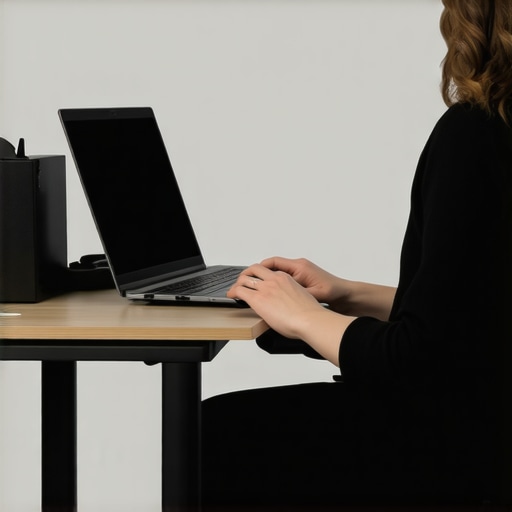
Separate Your Hands from Your Eyes
You cannot win the posture war if your hands and eyes are fighting for the same physical space. When your laptop is elevated to the correct height, your hands must remain low, with your elbows bent at a relaxed 90-degree angle. This setup is impossible without an external keyboard and mouse. By separating the two, you can implement the best way to position your keyboard to prevent neck strain while keeping your chest from collapsing. When I finally added a wireless keyboard to my setup, I noticed my shoulders stopped ‘shrugging’ toward my ears every time I typed. This simple hardware split is one of the most effective posture correction secrets that transform back pain outcomes because it stops the slouching at the source.
Keep Your Ribs Stacked over Your Hips
Even with a perfect screen height, many people fall into a ‘banana’ shape where the lower back rounds out and the head drifts forward anyway. Think of your torso like a stack of blocks; if the middle block slides out, the top block has to tilt to stay balanced. I used to find myself sliding forward in my chair until my lumbar spine was hovering in mid-air. To fix this, I began using the 30-second desk fix for your tight pectoral muscles twice a day to keep my chest open. If you feel that familiar burn returning, it is a sign to stop and perform mobility mastery simple exercises to relieve chronic back pain to reset your nervous system.
Watch Your Wrist Angle to Save Your Shoulders
While the neck gets the blame, the wrists are often the silent accomplices in back pain. When I first adjusted my screen, I placed my keyboard too far forward on the desk. This forced me to reach, which pulled my shoulder blades out of alignment and created a knot that wouldn’t quit. You need to pull your keyboard close enough that your elbows hang directly under your shoulders. If you start feeling a tingle in your palms, incorporate the 10-second wrist stretch for people who type for 8 hours a day into every break. Learning how to fix your grip to save your neck and shoulders ensures that your ergonomic improvements actually stick instead of creating new problems elsewhere. If you find your setup still feels slightly off, it might be that your laptop stand is actually making your neck tension worse by being just an inch too high or too low.Most people think there is a ‘correct’ posture they need to hold like a statue. I see it all the time: someone sits bolt upright, chest out, chin tucked, and stays there until their muscles tremble. But here is the contrarian truth—the best posture is your next posture. A study published in the Journal of Physical Therapy Science suggests that static loading, even in ‘good’ alignment, leads to muscle fatigue and decreased blood flow. If you try to force a ‘perfect’ spine for eight hours, you are just trading one type of pain for another. This is where posture correction secrets that transform back pain outcomes really come into play; it is about micro-movements and postural variability, not rigid stillness. 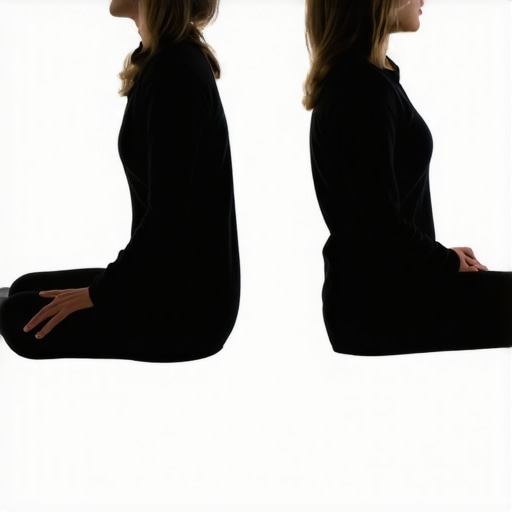
Are you over-correcting your slouch into a permanent shrug?
One of the biggest traps is the ‘military posture’ mistake. When people realize they are hunching, they yank their shoulders back and down with extreme force. This doesn’t fix the problem; it just creates massive tension in the levator scapulae and upper trapezius muscles. You end up with a tension headache because you are essentially shrugging all day long. Instead of yanking, try the simple scapular reset for instant shoulder tension relief. It is a subtle roll and drop, not a violent pull. I fell into this trap for months, wondering the one muscle you need to stretch to stop tension headaches only to realize I was the one creating the tension by trying too hard to be ‘upright.’
Stop Stretching the Muscles that are Already Screaming for Stability
Another massive ‘oops’ factor is the obsession with stretching. If your hamstrings feel tight, your first instinct is to touch your toes. However, for many office workers, those hamstrings are already over-lengthened from sitting in a posterior pelvic tilt. Stretching them more just irritates the nerves and creates more instability. In fact, why stretching your hamstrings might be making your back pain worse is a topic that surprises most of my readers. The same goes for the psoas. You might think you need to pull and tug at it, but why stretching your psoas might actually be making your back hurt more is often because the muscle is neurologically ‘guarded’ and weak, not actually short. We need enhance your mobility expert tips for easier movement in 2025 that focus on stability and strength, not just pulling on your tendons. Real stability comes from the deep core connection that stops your spine from shear stress. It is not about bracing like you are about to be punched; it is about a subtle, internal support system that allows your spine to move freely. If you rely on external tools without fixing these internal mechanics, you will find that the truth about posture braces and muscle atrophy is a painful lesson to learn. Incorporating mobility mastery simple exercises to relieve chronic back pain into your day will do more for your comfort than any passive stretch ever could. Have you ever fallen into this trap of over-stretching or forcing a ‘perfect’ pose? Let me know in the comments.I’ve spent thousands on ‘ergonomic’ gear over the years, but the most important tool in my kit is actually a $40 portable laptop stand. Specifically, I recommend models like the Roost or the Nexstand because they offer a granular vertical height adjustment that most fixed metal stands simply cannot provide. When you utilize these tools, you are finally able to adjust your routine daily spinal alignments for lasting relief without fighting against the physical limitations of your hardware. I’ve found through trial and error that even the most expensive office chair won’t save you if your eyes are constantly pulling your skull forward to see a low screen. If you are still typing on your laptop’s built-in keyboard while it’s sitting on a desk, you are losing the battle before it even starts. 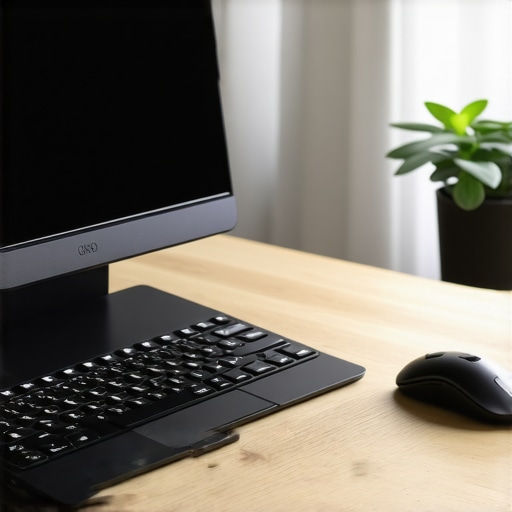
Ditch the Built-in Keyboard to Save Your Shoulders
My shoulders used to feel like they were made of concrete until I realized I was reaching too far forward to type. To fix this, I switched to a compact mechanical keyboard that sits right at my fingertips. This allows me to keep my elbows tucked at my sides, which is essential to prevent the ‘reach’ that triggers the shoulder blade squeeze that fixes mid-back knots instantly. The Human Factors and Ergonomics Society (HFES) 100-2007 standard notes that the primary goal of a workstation is to accommodate the user’s natural posture, rather than forcing the user to accommodate the machine. By separating the monitor from the input device, you give your body the literal space it needs to breathe.
Why AI is the Future of Posture Management
I suspect that within the next few years, we won’t need to manually check our 2-inch rule with a ruler. We are already seeing the emergence of AI-powered webcam software that tracks the angle of your head and the tilt of your shoulders in real-time. Imagine a world where your screen gently dims or a small notification appears if you start to slouch, nudging you back into alignment without you having to think about it. This kind of biofeedback will be a game-changer for people trying to master your mobility top strategies for moving without pain. It shifts the responsibility from your willpower to your environment, which is always a more sustainable way to live for the long term.
How can I keep my spine healthy for the next decade?
Maintenance isn’t about a single big ‘fix’ or a once-a-year visit to a specialist; it is about the tiny things you do every ninety minutes. I personally use a simple haptic timer that reminds me to stand up and reset my pelvis. During these short breaks, I look for enhance your mobility expert tips for easier movement in 2025 to keep my joints lubricated and my fascia from tightening up. Think of your spine like a high-performance vehicle; it doesn’t just need fuel, it needs regular alignment and maintenance. If you stay consistent with enhance flexibility top mobility strategies for active living, you will find that the daily aches simply stop showing up. My challenge for you today: Move your external keyboard three inches closer to your torso right now and use it that way for one hour. You will be shocked at how much tension leaves your upper back just by shortening that reaching distance.
Lessons My Spine Taught Me After 10 Years at a Desk
The most humbling realization I ever had was that my body doesn’t care how expensive my setup is; it only cares about how I move within it. Here are the lightbulb moments that changed everything for me during my recovery journey:
- Gravity always wins: If you don’t actively fight it with small resets, your head will eventually become a weight your neck can’t support. I learned that the 30-second wall reset for hunchback posture is more valuable than a $1,000 chair.
- The ‘Just One More Email’ Trap: Pain often starts small—a tiny tingle or a slight dull ache. Ignoring that signal to finish one more task is where chronic issues begin. Listen to your body’s early warnings before they turn into full-blown flare-ups.
- Movement is Lubrication: Your spinal discs don’t have a direct blood supply; they rely on movement to stay hydrated. Even the best posture becomes toxic if you hold it for four hours straight.
[IMAGE_PLACEHOLDER_E]
The Tools and Wisdom I Keep in My Daily Toolkit
If you’re ready to get serious about your health, you don’t need a massive budget, but you do need the right resources. These are the things that helped me unlocking better posture simple adjustments to relieve back pain for good. I personally swear by using a high-quality external mechanical keyboard because it prevents the ‘mashing’ of keys that triggers shoulder tension. I also recommend following the work of physical therapists who focus on functional movement rather than just static stretching. Lastly, I always keep a small lacrosse ball in my drawer for quick muscle release. These tools, combined with enhance your mobility expert tips for easier movement in 2025, have saved me more money in medical bills than I can count.
Take Back Your Energy One Inch at a Time
It’s easy to feel overwhelmed by all the ‘rules,’ but remember that you are in control of your environment. Making these small changes isn’t just about avoiding a sore neck; it’s about having the energy to enjoy your life after the workday is done. When you apply posture correction secrets that transform back pain outcomes, you aren’t just fixing a desk—you’re investing in your future self. Start with the screen height, add the keyboard, and watch how much lighter your world feels by Friday afternoon. Which part of your current desk setup feels the most ‘painful’ right now? Let me know in the comments below!