
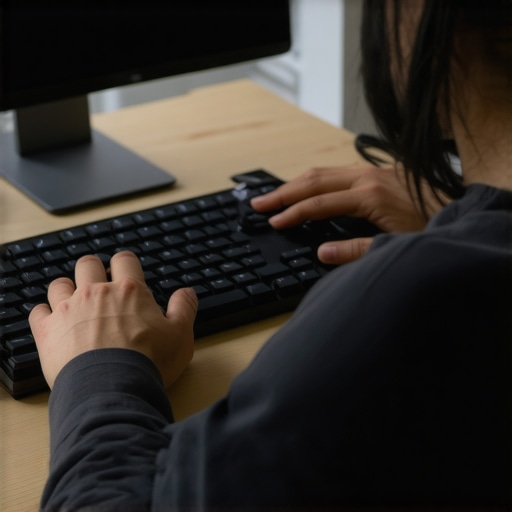
I remember the exact moment I realized my workspace was turning against me. I was mid-email, fingers flying over the keys, when a sharp twinge shot up my elbow and a dull ache settled into my neck. It was as if my body was protesting, asking, “Enough already!” Despite countless hours of adjusting ergonomic chairs and changing my desk height, those pesky pains refused to go away. One day, after a particularly unbearable afternoon, I had a lightbulb moment—what if the culprit wasn’t just my chair or my posture but something even simpler? That was the start of my journey toward discovering a game-changing tweak that transformed my daily routine and finally brought relief.
The Hidden Solution to Elbow and Neck Discomfort
What if I told you that the *most effective* fix isn’t about expensive ergonomic gadgets or endless stretching? Instead, it’s a small yet powerful adjustment to how you type—and it made all the difference for me. It’s easy to overlook, but this tweak addresses the root causes of strain, preventing those sharp jolts and chronic aches that seem to creep up from nowhere. If you’re tired of waking up stiff or feeling like your work is slowly destroying your body, this simple change might be your new best friend.
Is Sounds Too Good to Be True?
I admit, I was skeptical at first. I had already tried countless setups and habits with little success. But early on, I made the mistake of ignoring how my wrist position and keyboard angle contributed to my woes. It wasn’t until I focused on refining that tiny detail that I saw real progress. Trust me, the power of small adjustments is often underestimated—yet they can deliver huge relief. Curious to see how it works? I’ll walk you through the exact tweak that brought me lasting comfort.
Stay tuned as we explore how a minor change to your keyboard technique can protect your elbows and neck, helping you work longer and pain-free. And if you want to understand more about how posture impacts your general well-being, check out our posture correction secrets.
Align Your Wrists and Keyboard Properly
Revisit your typing setup by ensuring your wrists are straight and relaxed. I recall a morning when I deliberately adjusted my keyboard’s height, bringing it slightly lower so my elbows remained at a 90-degree angle. Initially, my hands felt awkward, but within days, I noticed a marked decrease in elbow tension. Think of your wrists as door hinges—the more they stay in a neutral position, the less wear and tear occurs. Use a wrist pad or adjust your keyboard elevation to achieve this alignment, which prevents unnecessary strain on your nerves and muscles.
Set Your Keyboard at the Right Angle
Position your keyboard so it’s flat or tilted slightly away from you, avoiding a steep incline. During my messy adjustment process, I placed books under one side of my keyboard to find the optimal angle, and eventually, I found a tilt that kept my wrists aligned. This small tweak significantly diminished my neck and shoulder aches. An overly tilted keyboard forces your wrists into a bent position, similar to trying to open a stubborn jar—tiring and damaging over time. Experiment with different angles until you find one that feels natural and reduces tension.
Adopt a Neutral Typing Posture
Maintain your shoulders relaxed and close to your body, elbows at your sides, and your forearms parallel to the ground. I remind myself to check this posture every 15 minutes, especially after long typing sessions. Visualize your arms as two pendulums hanging straight down; this helps keep your joints in a comfortable position. When I kept my shoulders shrugged or tensed, neck pain intensified. Regularly resetting this posture prevents muscles from overcompensating and causes less strain on your cervical spine and upper back.
Use Micro-Adjustments During Work
Small, frequent tweaks to your position can have a huge impact. I set timers to remind myself to recheck my wrist and arm angles, especially during marathon workdays. Incorporate brief stretches or shoulder rolls into this routine, which can be as simple as rolling your shoulders backward for 10 seconds. These micro-movements prevent stiffness and promote proper circulation, reducing the risk of developing chronic discomfort.
Leverage Your Environment for Better Ergonomics
Replace your existing setup with alternative solutions like adjustable desks, ergonomic keyboards, or monitor risers that bring your screen to eye level. I experimented with stacking books underneath my laptop to elevate my monitor, which alleviated neck tension. Think of your workspace as a tailor-made suit—small adjustments tailored to your body’s needs create the perfect fit, minimizing strain. If you’re unsure whether your setup is optimal, consider consulting ergonomic guidelines or visiting our contact page for expert advice.
Incorporate Regular Breaks and Movement
Schedule brief breaks every 20-30 minutes to stand, stretch, and reset your posture. I learned this the hard way during a long writing session—my muscles stiffened, and pain crept back. Stand up, perform neck rolls, and gently stretch your arms to ease tension. Imagine your muscles as rubber bands—continuous tension can cause it to snap or lose elasticity. These micro-movements promote blood flow, release muscle knots, and keep your joints lubricated, ultimately preventing discomfort from becoming chronic. For advanced mobility techniques, see our mobility strategies.
Prioritize Whole-Body Posture Awareness
Remember, your wrist and keyboard position are just parts of the bigger picture. Keep your entire alignment in check—feet flat on the ground, hips slightly higher than knees, and your back supported. My breakthrough came when I integrated these full-body principles into my routine. Like tightening the strings of a guitar, adjusting your posture enhances the overall harmony, reducing tension and pain. Regularly evaluate your posture, ideally with a quick self-assessment or ergonomic check, to reinforce these healthy habits. Our posture correction secrets provide further techniques to keep you aligned.Many individuals think that perfecting their posture simply involves standing up straight or stiffening their back muscles. However, this oversimplification often leads to misconceptions, causing more harm than good. An advanced mistake is assuming that all ‘posture corrections’ should involve rigid alignment; in reality, the human body requires a nuanced balance between support and mobility. Overcorrecting can restrict natural movement, leading to muscle underuse and joint stiffness, which paradoxically exacerbates discomfort. Experts like Dr. Stuart McGill warn against ‘fixation’—a rigid adherence to ideal posture—as it can limit the body’s ability to adapt and recover during daily movements. Instead, embracing dynamic postural shifts and micro-movements, as outlined in our mobility optimization guide, leads to healthier, pain-free bodies.
Maintaining good posture and back health over time requires more than just initial adjustments; it demands reliable tools and consistent routines. Personally, I rely on specific equipment and software that help me monitor and reinforce healthy habits. One of my go-to tools is the ErgoTrack Pro, a posture tracking device that attaches seamlessly to your upper back and provides real-time feedback through a companion app. It vibrates gently whenever I slouch or tilt, prompting immediate correction and helping me develop better muscle memory. This device has become invaluable for ensuring I stay aligned during long work sessions and even while exercising.
Beyond hardware, I recommend integrating daily adjustment routines using guided programs on platforms like Mobilify. These apps offer personalized mobility exercises that target stiff joints and weak muscles contributing to poor posture. I personally use Mobilify’s daily routines, which include micro-movements like thoracic rotations and hip openers, to keep my spine flexible and resilient.
For long-term results, consider scheduling periodic virtual assessments with a professional chiropractor or physiotherapist. Tools like adjusted standing desks with built-in sensors can help you optimize your workstation dynamically, preventing slouching or overcompensation. These advancements predict a future where intelligent furniture and wearable tech will automatically adapt to your posture in real time, making maintenance more effortless and consistent.
How do I maintain my posture improvements over time?
The key is to embed regular check-ins and micro-corrections into your daily routine. Use tools like the Pelvic Reset or set reminder alarms on your smartphone to perform quick posture audits. Additionally, periodically revisit cornerstone content such as posture correction techniques to refine your approach. Consistency, supported by these tools and knowledge, ensures your improvements are durable, reducing the risk of relapse or new issues cropping up.
Experiment with integrating a balance ball chair into your workspace; this promotes active sitting, which strengthens core muscles and encourages proper spinal alignment. As Dr. Stuart McGill emphasizes, dynamic movements and micro-adjustments are crucial—they prevent muscle atrophy and stiffness that static postures often cause. For a detailed guide on mobility exercises that complement these tools, check out mobility mastery tips.
Remember, maintaining your posture isn’t a one-time effort but an ongoing process. Incorporate technology-driven reminders, ergonomic tools, and continuous education into your routine, and you’ll be far more likely to enjoy long-term relief and mobility. Take the first step today by trying a micro-adjustment—perhaps reposition your monitor or reset your seated posture—and notice how these small habits compound over time to sustain your health.

The Hidden Lessons I Learned About Posture, Back Pain, and Mobility That Changed Everything
- Real progress came when I stopped solely focusing on perfecting my desk setup and started paying attention to the subtle nuances of my daily habits. Small micro-adjustments, like repositioning my monitor or taking a moment to reset my shoulders, created ripple effects that alleviated chronic discomfort faster than any fancy gadget.
- Understanding that the body thrives on movement, not rigidity, was a game-changer. I used to think holding a perfect posture was the goal, but embracing gentle flexibility and micro-movements proved far more effective for long-term relief.
- Investing in community and expert guidance—through virtual assessments and trusted resources—accelerated my journey. Having tools like daily spinal alignment routines became habits, turning small adjustments into powerful, sustainable change.
My Toolbox for Better Posture and Mobility
- Mobilify App: Personalized daily routines that keep my spine flexible and muscles balanced—trustworthy for consistent progress.
- ErgoTrack Pro: A posture tracker that provides real-time nudges to maintain alignment, making me more aware and accountable.
- Books like Stretching Scientifically: Deep insights that helped me understand the science behind gentle mobility and its impact on back health.
- Professional Consultations: Regular virtual check-ins with chiropractors and physiotherapists to fine-tune my approach—an investment I highly recommend.
Your Next Chapter in Movement and Comfort
Remember, reclaiming your mobility and relieving back pain is an ongoing adventure—one rooted in mindful adjustments, curiosity, and gentle persistence. Your body thrives on movement, not restraint, and embracing small, consistent changes will unlock a future of resilience and comfort. Start today—try that micro-move, ask a question, or explore a new tool—and watch how your habits transform your wellbeing over time. What small change will you make today to support a healthier, more mobile you?