
I was staring at my laptop screen, trying to finish a project, when it felt like someone was pressing a hot charcoal brick into the space between my shoulder blades. My neck felt like a rusted hinge. I’d spent three hundred dollars on a ‘breathable’ mesh chair, convinced my lower back was the problem. But the real culprit was right in front of my face—literally. My laptop was sitting flat on the desk, forcing my head into a permanent downward tilt. That’s when I realized: no chair in the world can save a neck that’s constantly fighting gravity. My screen was too low, and my spine was paying the price. Today, I want to show you exactly how to stop that burning sensation by making one tiny adjustment to your setup.
Stop Looking Down at Your Future
I made the classic mistake of thinking that unlocking better posture was only about where my butt was in the seat. I didn’t realize that for every inch your head tilts forward, it gains about 10 pounds of effective weight on the spine. According to Dr. Adalbert Kapandji, a renowned orthopedic expert, the strain on your posterior neck muscles increases exponentially as your chin drops. By looking down at my laptop, I was essentially making my neck hold up a 40-pound bowling ball for eight hours a day. This is why you feel that familiar ache; it’s not just ‘fatigue,’ it is often C7-T1 nerve pressure caused by your screen height. Have you ever found yourself rubbing that specific spot between your shoulder blades after only an hour of emails?
Does a couple of inches really make a difference?
You might be skeptical. You might think that a laptop stand is just more ‘office clutter’ that you don’t need. I thought the same until my fingers started tingling. When you elevate your screen, you allow your cervical spine to maintain its natural curve. Without this height, your chest muscles tighten, pulling your shoulders forward and creating a permanent hunch. I used to ignore it, but then I started using a 30-second wall reset just to get through the afternoon. The truth is, your body wasn’t designed to stare into your lap for a living. If we don’t fix the height of your workspace, you are just treating the symptoms while the cause remains firmly planted on your desk. Let’s look at the simple steps to turn your laptop from a torture device back into a tool.
The Eye-Level Mandate
To fix the crushing pressure on your spine, the first thing you need is height. I remember the day I finally gave in. I didn’t have a fancy aluminum stand, so I grabbed a stack of oversized cookbooks—mostly Julia Child and a massive Italian encyclopedia. I piled them up until the top edge of my laptop screen was level with my eyes. It looked ridiculous, and my wife laughed at the ‘kitchen-office’ vibe, but for the first time in months, that ‘hot coal’ feeling in my back didn’t start at noon. This is the goal: bringing the screen to you rather than diving into it.
Find the Sweet Spot for Your Screen
Your eyes should naturally hit the top third of the monitor. If you are looking straight ahead and your gaze lands in the middle or bottom of the screen, you are already losing the battle. Use the 2-inch rule for your laptop stand to save your neck from strain to find that precise alignment. Think of your neck as a crane; the further the load moves from the center, the more likely the structure is to buckle. By elevating the device, you eliminate the need for your neck to act as a cantilever for your heavy skull. However, be careful not to overcorrect, as is your laptop stand actually making your neck tension worse by being too high, forcing your chin up into an unnatural extension.
The Mandatory Keyboard Separation
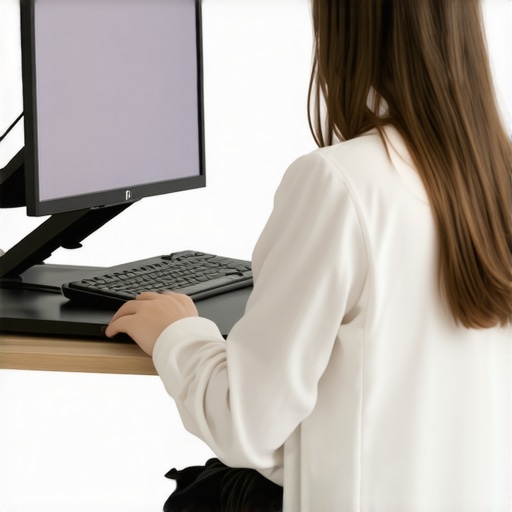
The biggest trap of a laptop is that the screen and keyboard are joined at the hip. When you lift the screen, you can no longer type on the laptop’s keys without looking like a T-Rex. This is why an external keyboard and mouse are non-negotiable. I tried to skip this step for a week and ended up with forearms that felt like they were made of lead. When your hands stay on the laptop while the screen is high, your elbows flare out and your upper traps go into a permanent shrug. This explains why your shoulders always roll forward while you type. You need to keep your elbows at a 90-degree angle, tucked close to your ribs, which is only possible with a separate keyboard sitting flat on the desk surface.
Combat the Chest Collapse
Once your screen is at the right height, you have to address the ‘internal collapse’ that happened while you were slouching for years. Your pectoral muscles have likely become short and tight, acting like guy-wires that pull your frame forward. You can implement the 30-second desk fix for your tight pectoral muscles right now by simply opening your arms wide and squeezing your shoulder blades together. This reset is vital because even the best monitor height won’t help if your muscles are physically pulling you back into a hunch. Additionally, pay attention to how you hold your mouse. Learning how to fix your grip to save your neck and shoulders ensures that the tension doesn’t travel from your wrist all the way up to your cervical spine.
The Scapular Reset Strategy
Every sixty minutes, you need to remind your brain where your shoulders are supposed to live. I use a simple analogy: imagine you are trying to put your shoulder blades into your back pockets. This downward and backward movement instantly decompresses the monitor height hack for preventing C7-T1 nerve pressure area. It’s not about sitting perfectly still; it’s about having the mobility to return to a neutral position after you inevitably lean in to read a difficult email. Use the simple scapular reset for instant shoulder tension relief as a recurring ‘system reboot’ throughout your workday.
The Stretching Trap You Need to Avoid
The most dangerous advice I ever followed was to ‘just keep stretching.’ When my back felt tight, I would reach for my toes for minutes at a time, convinced that my hamstrings were the enemy. But here is the contrarian truth: most chronic back pain isn’t a lack of flexibility—it’s a lack of stability. In many cases, why stretching your hamstrings might be making your back pain worse is because you are tugging on the very nerves that are already irritated. If your body is creating tension, it’s often a ‘protective guard’ your brain has put in place to keep your spine from moving too much. If you force that muscle to relax without addressing the underlying stability, you’re essentially removing the brakes from a car with a broken engine.
Why does the stiffness return ten minutes after a deep stretch?
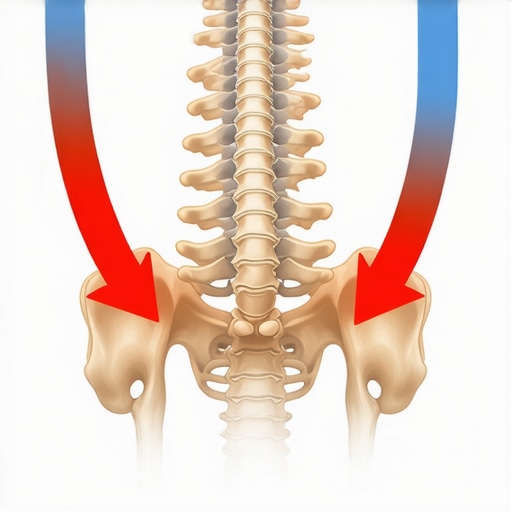
You’ve probably experienced this: you spend twenty minutes on a yoga mat, feel like a noodle for a moment, and then as soon as you sit back down at your desk, the ‘brick’ in your back returns. This happens because you are treating the symptom, not the neurological cause. For example, why stretching your psoas might actually be making your back hurt more is a common dilemma for office workers. The psoas is often weak, not short, and stretching it further creates a shear force on your lumbar spine. Dr. Stuart McGill, a world-renowned spine biomechanics expert, has often pointed out that many popular back stretches actually put the spinal discs under more stress than they alleviate. Real mobility mastery comes from knowing when to stop stretching and start strengthening.
The False Comfort of Self-Cracking
Another trap I fell into was the ‘self-adjustment.’ I used to twist my torso or jerk my neck just to hear that audible pop. It felt like instant relief, but that relief is just a temporary release of endorphins. In reality, why self-cracking your neck makes the stiffness come back faster is because you are usually only moving the segments that are already hyper-mobile. You are ignoring the ‘stuck’ segments and making the loose ones even looser, which leads to long-term instability. This is why you feel the urge to do it again every thirty minutes. Instead of hunting for the pop, focus on daily spinal alignments for lasting relief that prioritize controlled movement over high-velocity cracking. Have you ever fallen into this trap of constant self-cracking or over-stretching? Let me know in the comments. I’d love to hear if your ‘relief’ has actually been holding you back.
Moving away from the instant gratification of a ‘pop’ and toward actual structural integrity requires a shift in gear—both mentally and physically. I spent years buying every gimmick on the market before I realized that the best tools aren’t the ones that do the work for you, but the ones that make it impossible to default back to your old, slumped-over habits. For me, that started with a vertical mouse. If you look at your hand right now on a standard mouse, your palm is likely flat against the desk. This forces your radius and ulna to cross, creating tension that travels all the way up to your shoulder. By switching to a vertical design, your hand stays in a neutral ‘handshake’ position, which is one of the best posture correction secrets that transform back pain outcomes by removing the rotational stress from your neck.
The Gear That Actually Earned a Spot on My Desk
Beyond the mouse, the split keyboard was my game-changer. Standard keyboards force your wrists to deviate outward, which subtly pulls your shoulders forward. Dr. Alan Hedge, a leading ergonomics expert at Cornell University, has long advocated for equipment that allows the body to maintain its natural alignment rather than forcing the body to adapt to the machine. When I started using a split keyboard, my chest naturally opened up, and the need for the 5-minute fix for constant gamer neck virtually disappeared. It wasn’t about the software or the ‘ergonomic’ branding; it was about the physical space the keyboard created for my lungs to actually expand. I also recommend a high-quality standing desk converter, but you must know the best way to transition from a sitting to a standing desk so you don’t just trade back pain for swollen ankles.
How do I maintain my spinal health for the long haul?
Maintenance isn’t a one-time event; it’s a series of micro-decisions. I treat my workspace like a cockpit that needs a pre-flight check every morning. This involves daily spinal alignments for lasting relief before I even open my email. I’ve found that using software like ‘Stretchly’—which literally locks my screen every 20 minutes for a 20-second break—is the only way to beat the hyper-focus that leads to a ‘frozen’ spine. If you don’t automate your breaks, your brain will override your body’s pain signals until it’s too late. 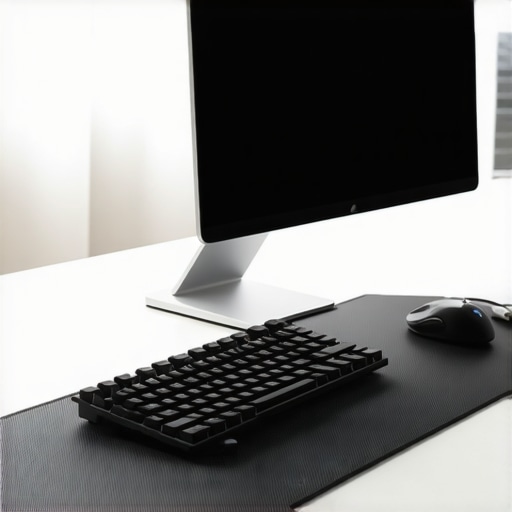
The AI Future of Our Backs
Looking ahead, I suspect we are moving toward a world where our monitors won’t just sit there; they will watch us back. We are already seeing the rise of AI-driven webcam software that monitors your ear-to-shoulder alignment in real-time and gently dims your screen if you start to slouch. This kind of biofeedback will be the ultimate tool for expert tips for easier movement in 2025, making posture a subconscious habit rather than a daily struggle. Until then, you have to be your own sensor. I challenge you to try one thing today: swap your standard mouse for a vertical one or even a trackball. It feels weird for about four hours, but your right shoulder will thank you for the next decade. If you’re serious about staying mobile, you need to master your mobility by investing in the tools that support your anatomy, not your habits.
What My Spine Taught Me After a Decade of Slouching
The most profound shift didn’t come from a gadget, but from a change in perspective. I finally understood that my body isn’t a machine that stays ‘fixed’ once you buy the right chair. It is an adaptable organism that reflects how I treat it every minute, and no expensive piece of equipment can compensate for a lack of awareness.
I learned that pain is a conversation, not an attack. When my neck started to throb at 3:00 PM, it was simply my nervous system asking for a change in position. By learning to enhance your mobility through frequent micro-breaks, I finally stopped the cycle of weekend-long recovery sessions. I also realized that ‘ergonomics’ is personal—what works for a tall developer might not work for me, and that is why testing your own setup is non-negotiable.
The Small Kit That Saved My Career
If you are looking to build a workspace that supports your longevity, I recommend starting with three specific tools. First, a high-quality laptop stand like the Roost is essential for travel, while a simple monitor arm is best for a permanent home desk. These tools ensure your gaze stays forward, protecting your cervical curve.
Second, a vertical mouse is the only way I have found to truly quiet the tension in my forearm and upper trap. Finally, I highly recommend keeping a copy of ‘Built to Move’ by Kelly Starrett on your desk; it provides the foundational movement principles that make unlock better back health feel intuitive rather than like a chore. I trust these resources because they focus on the root cause of mechanical strain rather than just offering a temporary cushion.
Reclaiming Your Body From the Digital Grind
You have the power to change how you feel by the end of the workday. It starts with the realization that your health is worth more than the convenience of leaving your laptop flat on a desk. By implementing these small shifts—elevating your screen, using a separate keyboard, and respecting your body’s need for movement—you are choosing a future of vitality over one of chronic stiffness.
Reclaiming your comfort is a journey, and you have already taken the hardest step by acknowledging that the status quo isn’t working. It is time to master your mobility and live a life where your workspace serves your anatomy, not the other way around. What is the one thing in your current office setup that you know is causing you the most pain right now? Let me know in the comments below!