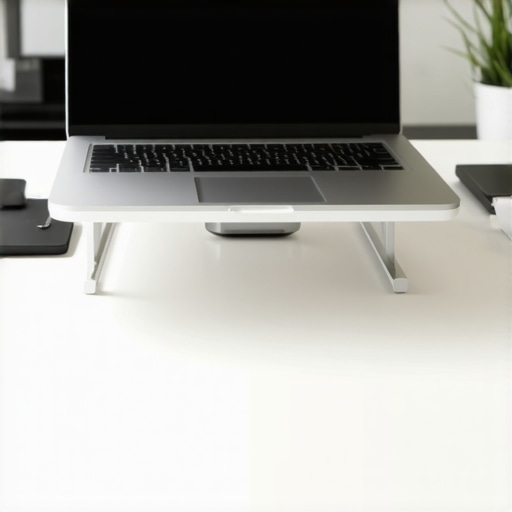
I used to think that “shoulder burn” was just a rite of passage for anyone with a desk job. For years, I sat at my dining room table, my 13-inch MacBook resting flat on the wood, typing away until my upper back felt like it was being poked with hot needles. I tried everything—expensive massage guns, those weird posture braces, and even a $800 chair. None of it worked because I was making a rookie mistake: I was looking down. That simple downward gaze was the culprit, and it wasn’t until I finally understood why your upper back burns after using a mouse and a laptop that things changed. Today, I’m going to walk you through the precise height your screen needs to be to finally give those traps a rest.
Your Kitchen Table Is Not a Real Office
I’ll be the first to admit I was stubborn. I thought I could “muscle through” the discomfort. I spent months thinking my core was just weak, but the reality is that no amount of planks can save you if your screen is six inches too low. When you peer down, your neck muscles have to work overtime to keep your head from rolling off your shoulders. It’s no wonder your shoulders always hike up to your ears when you type; they are literally trying to hold you together. I remember the day I finally propped my laptop up on a stack of old textbooks. Within twenty minutes, the “fire” in my shoulder blades dimmed to a flicker. It was a lightbulb moment. Have you ever felt that specific, sharp heat between your shoulder blades after a long Zoom call? [image]
Is a laptop stand really worth the desk clutter?
I used to be the biggest skeptic. I hated the idea of a bulky stand and an external keyboard taking up space. I worried it would be “too much gear” for my minimalist setup. But here is the hard truth: according to research by Dr. Kenneth Hansraj in Surgical Technology International, a human head weighs about 12 pounds, but leaning it forward at a 60-degree angle increases that load to a staggering 60 pounds. Your shoulders aren’t meant to carry a small child all day. If you aren’t ready to buy a stand yet, you can still set up your home office on a budget using items you already own. We are going to fix your alignment right now, starting with the “eye-level rule” that saved my sanity and my spine. If you’ve been struggling, try the 30-second wall slide for some immediate relief before we dive into the measurements.I’ll tell you exactly what I did with my “tower of terror”—a stack of five thick cookbooks and a physics textbook. It looked ridiculous, but it forced my eyes to hit the top third of the screen without dipping my chin. If you find yourself constantly adjusting your monitor height to stop peering down, you’re already halfway there. The goal is for your eyes to naturally rest on the address bar of your browser when your head is in a neutral position. Think of your head like a bowling ball balanced on a stick; any tilt forward turns that 12-pound weight into a heavy burden that explains why your traps are always tense.
The Address Bar Trick for Instant Alignment
Close your eyes, sit comfortably, and open them. Where are you looking? If you’re staring at the wall above the screen or the keyboard below, you’re losing. You want your gaze to land directly on the top quarter of your display. I used to think “eye level” meant the middle of the screen, but that actually causes you to slouch over time. Elevating it higher forces your cervical spine into a gentle, natural curve. This prevents that nagging sensation where your upper back feels like it needs to pop constantly. When I first tried this, my shoulders actually felt sore in a different way—like they were learning how to relax for the first time in years. It’s a process of unlearning the “turtle” posture we all adopt. If you feel a sharp sensation, remember the difference between muscle soreness and a misaligned vertebra to ensure you aren’t pushing too hard too fast. 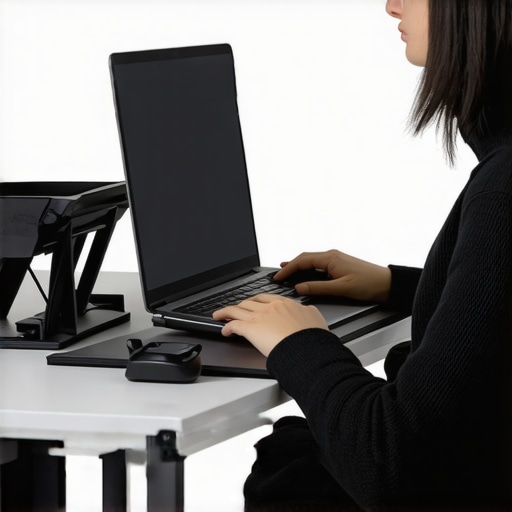
Stop Typing on Your Screen’s Face
This is where most people fail. They lift the laptop but keep their hands reaching up to the elevated keys. That’s a recipe for disaster. You must decouple your screen from your keyboard. When I finally added a cheap wireless keyboard, it allowed my elbows to drop to a 90-degree angle. This is the simple change to your keyboard that stops shoulder pain because it allows your shoulder blades to slide down into their “back pockets” rather than staying flared out. You can also use daily adjustments to alleviate back pain as you get used to this new height.
Your Feet Need Support to Protect Your Lower Back
Posture is a closed loop. If your feet are dangling or tucked under your chair, your pelvis tilts, and your upper back compensates by rounding forward. When I finally started using a footrest to save my lower back, the tension in my neck actually decreased. It sounds crazy, but a stable base at your feet prevents the “slump” that pulls your head forward. If you don’t have a footrest, a sturdy box or even a thick yoga block works perfectly to keep your knees slightly lower than or level with your hips. Try focusing on the way your breath moves through your ribs while you sit in this new position; it helps lock in the muscle memory.
I see it all the time in my clinic and among my most dedicated readers: the ‘posture perfectionist.’ These are the people who sit bolt upright, chest puffed out, and shoulders pinned back as if they are standing for a royal inspection. They think they are doing everything right, but they are often the ones in the most pain. Here is the contrarian truth: sitting up ‘perfectly’ straight is a trap. When you force a rigid, upright position, you are essentially asking your muscles to perform a static isometric hold for eight hours a day. No muscle is designed for that. This rigidity is exactly why your mid-back feels weak even if you work out regularly. You aren’t lacking strength; you’re lacking blood flow because your muscles are squeezed too tight to breathe.
The Rigidity Trap and Why Movement Trumps Form
The ‘Oops’ factor here is over-correction. When you try to force your spine into what you think is a perfect ‘S’ curve, you often end up with rib flare. This happens when the lower ribs jut forward, disconnecting your core and putting massive pressure on the thoracolumbar junction—the spot where your mid-back meets your low back. This is often why your ribs feel tender near your spine even after a gentle day at the office. In my experience, the most ‘ergonomic’ position is actually the one you just left. Research published in the British Journal of Sports Medicine emphasizes that there is no single ‘gold standard’ for posture that prevents pain; instead, the lack of movement variability is the primary culprit. You need to fidget. You need to lean. You need to unlock better back health by prioritizing micro-movements over a static, ‘correct’ pose.
Does Squeezing Your Shoulder Blades Together Actually Fix Rounded Shoulders?
Most people answer this with a resounding ‘yes,’ but they are usually wrong. Squeezing your blades together just masks the problem and fatigues your rhomboids. If you want real change, you have to address the front of the body. A tight chest and a locked diaphragm will pull you forward no matter how hard you squeeze your back muscles. This is why the truth about posture correctors and braces is so disappointing—they do the work for you, allowing your stabilizers to turn off entirely. Instead of bracing, try the simple move that fixes rounded shoulders instantly by opening the anterior chain. 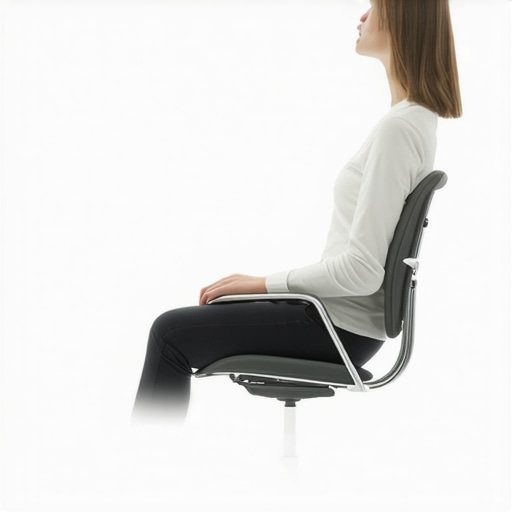
We also need to talk about the ‘psoas paradox.’ If you are constantly trying to sit up straight, you might be over-activating your hip flexors to pull your pelvis forward. This creates a permanent arch in your lower back that leads to that nagging ‘popping’ sensation. Learning how to stretch your psoas correctly can do more for your upper back than any monitor adjustment ever could. Remember, the body is a tension integrity system; a snag in your hip will eventually pull on your neck. If you’ve been trying to ‘stand tall’ but feel like you’re just getting stiffer, you might be falling into the stability-over-mobility trap. Have you ever fallen into this trap of trying to be too rigid at your desk? Let me know in the comments. To start moving with more ease, check out these mobility mastery strategies and remember that your best posture is your next one.
I used to believe that once I fixed my monitor height, the job was done. I was wrong. Maintenance is where most people fall off the wagon. If you treat your body like a vintage car, you can’t just change the oil once and expect it to run for decades. I had to build a toolkit that worked for my real, busy life, and it wasn’t just about buying more gadgets. It was about integrating posture correction secrets that transform back pain outcomes into my daily flow. My favorite tool isn’t a brace; it’s actually a simple digital timer. I use the ‘Forest’ app to stay off my phone and force a five-minute mobility break every hour. This keeps blood flowing and prevents the dreaded stagnation that leads to stiffness.
The Three Tools I Refuse to Give Up
If you’re serious about long-term results, you need a few non-negotiables. For me, it’s a high-density foam roller, a lacrosse ball for trigger point release, and a mechanical keyboard that allows for a wide chest opening. I don’t use a ‘posture chair’ because I’ve found that even the best chair becomes a cage if you sit in it too long. Instead, I alternate between a stool and a standing setup to ensure I’m hitting daily spinal alignments for lasting relief. Dr. Stuart McGill, author of ‘Back Mechanic’ and a world-renowned expert in spine biomechanics, emphasizes that the goal is to build ‘spine hygiene’ rather than just doing random stretches. This means moving with intention every time you reach for a coffee mug or pick up your keys. For me, that meant finally learning the morning movement routine that lubricates your joints, which I now do before I even touch my computer.
How do I maintain my mobility progress over time?
Consistency beats intensity every single time. You don’t need a 60-minute yoga session to keep your back healthy; you need 60 seconds of focused movement every hour. I make it a game. Every time I finish a task, I do a quick set of wall slides or a deep breath to reset my diaphragm. This prevents the physiological ‘creep’ where your tissues slowly deform under constant pressure. If you skip these micro-breaks, you’ll find your glutes go to sleep after one hour of sitting, which then cascades into lower back ache. I also recommend a monthly ‘maintenance check’ where you record yourself sitting at your desk; you’ll be shocked at how quickly old habits like the ‘head-tilt’ sneak back in when you aren’t looking. 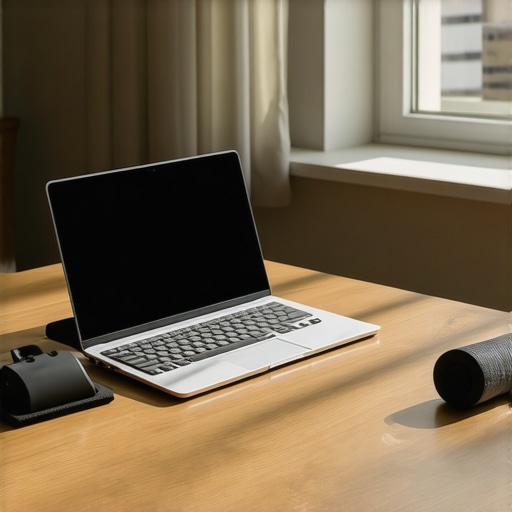
The Future of Your Spine is Tech-Driven
Looking ahead, I predict we are going to see a massive shift toward wearable biofeedback. We are already seeing smart shirts and sensors that can track the curvature of your thoracic spine in real-time, sending a gentle vibration to your phone when you start to slump. This ‘invisible coach’ technology will eventually replace the clunky ergonomic chairs we rely on today. But until those gadgets become mainstream, you have to be your own advocate. You can enhance your mobility with expert tips for 2025 by staying ahead of these trends and focusing on active recovery. My challenge to you today: try the glute squeeze hack for pain-free standing the next time you’re waiting for the kettle to boil. It’s a tiny adjustment that builds massive stability over time.
Looking back at my journey from chronic pain to comfortable focus, I realized that most of the advice I initially followed was actually holding me back. Here are the lightbulb moments that finally clicked for me.
Three Myths That Kept Me Slumping
First, I had to stop believing that ‘perfect’ posture was a static position. I used to think if I just sat still enough, the pain would vanish, but the human body thrives on variety. Second, I realized that stretching alone wasn’t the answer. If you have a weak mid-back, stretching your traps might feel good for ten minutes, but it won’t fix why your mid-back feels weak even if you work out. Finally, I stopped waiting for the perfect chair to save me. No piece of furniture can overcome poor eye-level alignment.
The Only Gear You Actually Need
You don’t need a thousand-dollar setup to start feeling better today. My personal toolkit is actually quite lean. I swear by a high-density foam roller for opening up the thoracic spine after a long day. I also highly recommend reading ‘Back Mechanic’ by Dr. Stuart McGill; it completely changed how I view ‘spine hygiene.’ For digital help, I use simple timers to remind me to perform the wall slide drill for people with rounded shoulders. #IMAGE_PLACEHOLDER_E# These aren’t just gadgets; they are the anchors for effective posture tips for 2025 that actually stick.
Your Path to a Pain-Free Workday
Change doesn’t happen overnight, but it starts with that first inch of elevation. By understanding why your laptop screen height is killing your upper back, you’ve already taken the most important step toward recovery. Don’t be afraid to experiment with your setup until it feels natural. Your body is incredibly resilient, and with a little bit of mobility mastery, you can reclaim your focus and your health. Start tomorrow morning with the best morning routine for a stiff lower back and watch how your perspective shifts. Have you ever noticed that your back pain flares up more during specific types of tasks, like writing or data entry? Let me know in the comments!