I remember sitting at my desk three years ago, rubbing a knot in my neck that felt like a marble lodged under my skin. I was peering down at my screen for eight hours a day, unknowingly molding my spine into a permanent “C” shape. It wasn’t just a minor ache; it was a soul-crushing fatigue that started at my hairline and radiated down to my mid-back. I’d finish my shift feeling like I’d been in a wrestling match I definitely didn’t win. I tried everything—expensive chairs, massage guns, and posture braces that did nothing but itch. But the real culprit was staring me right in the face. My monitor was about four inches too low.
Stop Acting Like a Gargoyle at Your Desk
We aren’t built to stare at our laps all day. It’s an evolutionary nightmare. When you tilt your head forward just 15 degrees, the weight your neck carries effectively doubles. By the time you’re looking down at a laptop sitting flat on a desk, your spine is supporting nearly 60 pounds of pressure. I learned this the hard way after a week of constant gamer neck that left me unable to turn my head to check my blind spot while driving. I made the classic mistake of thinking my chair was the problem, when really, my laptop screen height was the true villain. I even tried a makeshift solution using a stack of old encyclopedias, but they were unstable and looked terrible in my home office. You don’t have to suffer through the same trial and error.
Is a fancy monitor stand actually worth the hype?
Many people think they need to drop a fortune on ergonomic gear. The truth is, you just need your eyes to meet the top third of your screen without your chin dipping. Whether you use a dedicated riser or learn how to set up your home office on a budget, the goal is the same: neutral spinal alignment. According to the Mayo Clinic, the top of your monitor should be at or slightly below eye level to minimize the strain on your levator scapulae and trapezius muscles. This isn’t just about comfort; it’s about preventing long-term structural changes. Have you ever caught your reflection in a dark screen and realized you’re slouching like a tired turtle? I want to hear about the weirdest thing you’ve used to prop up your screen—drop a comment below and let’s compare notes before we dive into the specific measurements you need.
Find Your Visual Horizon
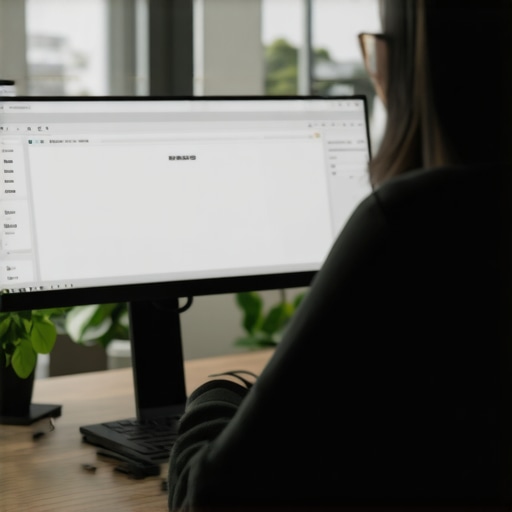
To get this right, you need to stop eyeballing it. Sit in your chair, roll your shoulders back, and look straight ahead. Your eyes should naturally hit the top two or three inches of the screen. If you are looking at the center of the display, your chin will inevitably drop over time, leading to that “turtle” posture we’re trying to kill. I remember the first afternoon I actually got my monitor to the right height using a stack of sturdy shoeboxes. About two hours in, I realized I hadn’t felt that familiar ‘electric’ zing in my shoulder blades once. It was the first time in months I didn’t need an Advil by 3 PM. Making these unlocking better posture simple adjustments to relieve back pain isn’t just about the screen; it’s about resetting your body’s baseline.#IMAGE_PLACE_HOLDER_B#
Break the Laptop Trap
The biggest mistake most of us make is trying to use a laptop as a primary computer without any help. A laptop is an ergonomic disaster because the keyboard and screen are fused together. If the screen is at the right height, the keyboard is too high; if the keyboard is at the right height, the screen is too low. You have to separate them. Buy a cheap external keyboard and a mouse. This is the simple change to your keyboard that stops shoulder pain because it allows your elbows to stay at a 90-degree angle while your eyes stay level. When your arms are reaching up toward a laptop on a riser, you’re creating tension that explains why your shoulders always hike up to your ears when you type. Think of your arms like heavy pendulums—they need to hang loose, not be held in a constant state of shrug.
The Arm-Length Rule
Distance matters just as much as height. If your screen is too far away, you will lean forward to see small text. If it’s too close, you’ll strain your eyes and subconsciously pull your head back, jamming your upper cervical spine. Extend your arm fully; your fingertips should just barely touch the screen. This distance prevents the squint-and-lean maneuver that is often the 30-second move for people who get headaches while working. If you can’t see clearly at that distance, don’t move the monitor—increase the font size in your settings. Your spine shouldn’t have to compensate for your eyesight.
Move Your Body Every Thirty Minutes
Even a perfect desk setup becomes a cage if you stay in it too long. Static posture is the enemy. Every thirty minutes, you need to perform what I call a “system reboot.” This doesn’t mean a full workout. It means standing up, doing the wall slide drill for people with rounded shoulders, or just pacing for sixty seconds. Your discs don’t have their own blood supply; they rely on movement to “pump” nutrients in and waste out. This is why your spine needs movement every 30 minutes to stay hydrated and resilient. When I first started setting a timer for these micro-breaks, I felt silly. But by the end of the week, the “marble” knot in my neck had vanished because I stopped giving it the stillness it needed to harden.But here’s where most people—even the ones with the fancy standing desks—get it completely wrong. We’ve been fed a lie about what “good” posture actually looks like. I spent years trying to sit at a perfect 90-degree angle, thinking I was doing my spine a favor. I wasn’t. I was actually placing maximum strain on my lumbar discs.
The 90-Degree Myth That’s Ruining Your Lumbar
Modern ergonomics often emphasizes sitting upright like a soldier, but research suggests otherwise. A landmark study presented by the Radiological Society of North America utilized vertical MRI scans to prove that a 135-degree reclining position is significantly better for maintaining spinal disc height than the traditional 90-degree “upright” seat. When you sit perfectly straight, you are essentially fighting gravity with your smallest stabilizing muscles. This leads to a constant state of micro-tension that eventually presents as chronic pain. I found that by slightly reclining and using a lumbar roll, I could work for hours without that familiar deep ache in my sacrum. #IMAGE_PLACE_HOLDER_C#
Why Your Core Workouts Are Failing You
I often hear from people who spend hours in the gym but still suffer from desk-related pain. They assume that more planks will solve the problem. The truth is, why your core strength isn’t stopping your back aches is often due to a lack of “functional” stability. You can have six-pack abs and still have a spine that’s screaming for help because your deep stabilizers are switched off. This is a classic “trap” for fitness enthusiasts: over-relying on the big, visible muscles while the tiny muscles that actually support your vertebrae are dormant. If you find your shoulders rolling forward despite your gym sessions, it might be because why your chest muscles are pulling your shoulders forward is a mechanical issue that no amount of crunches can fix.
Is Your “Perfect” Posture Actually a Tightness Trap?
Have you ever forced yourself to sit up straight, only to find that your back feels more exhausted ten minutes later? This is what I call “forced alignment.” When you manually pull your shoulders back, you are likely just tensing your rhomboids and traps rather than finding a neutral skeleton. This tension restricts blood flow and creates a cycle of fatigue. You need to learn posture correction secrets that transform back pain outcomes that focus on relaxation rather than rigidity. Have you ever fallen into this trap of trying to sit “perfectly” straight only to find your back hurting even more? Let me know in the comments.
The Danger of Self-Adjusting
One of the biggest mistakes I see—and one I’m guilty of in my early days—is trying to “pop” your own neck or back for relief. It feels like a quick fix, but the truth about why cracking your own neck feels good but harms you is that you are likely moving the segments that are already too loose (hypermobile), rather than the ones that are actually stuck. This creates a temporary dopamine hit but leads to long-term instability. Understanding the difference between muscle soreness and a misaligned vertebra is critical before you start performing “bathroom mirror chiropractic.”
Stop Stretching Your Hips the Wrong Way
Another nuance people miss is the relationship between the psoas and the lower back. If you sit all day, your hip flexors are short and tight. But if you just start cranking on them with aggressive stretches, you might actually aggravate your lower back. You need to know how to release your hip flexors without stretching them by using neurological resets instead of brute force. This approach is part of mobility mastery simple exercises to relieve chronic back pain that actually stick. True progress comes from subtle shifts, not from forcing your body into a shape it isn’t ready for yet.Once you have moved your monitor and stopped trying to sit like a statue, the biggest hurdle is the ‘drift.’ Your body will naturally want to return to its old, familiar shapes. I found the most effective way to combat this is by using a sensory anchor. I call it the rearview mirror trick. Every time you get into your car, sit up tall and adjust your rearview mirror to improve your posture so that you can only see out of it when you are in a neutral position. The moment you start to slouch during your commute, the mirror goes dark, giving you an immediate, passive signal to reset. This kind of real-world feedback is worth more than any expensive gadget because it trains your brain, not just your muscles.
The Only Two Tools Worth Your Hard-Earned Cash
Most ergonomic gadgets are junk, but two things changed my life: a simple lumbar roll and a dedicated footrest. If you are leaning back at that 135-degree angle we talked about, your lower back needs a physical stop to prevent your pelvis from tucking under. The truth about lumbar support rolls and lower back spasms is that the roll isn’t there to ‘fix’ you; it’s there to keep your lumbar curve consistent while your muscles relax. When combined with a footrest, you create a stable ‘tripod’ for your spine, allowing the deep stabilizers to stay active without being overworked.#IMAGE_PLACE_HOLDER_D#
What Astronauts Can Teach You About Desk Work
The future of ergonomics is actually moving toward what NASA calls Neutral Body Posture (NBP). According to the NASA-STD-3000 (Man-Systems Integration Standards), NBP is the posture the human body naturally assumes in microgravity. It isn’t a stiff 90-degree angle; it’s a relaxed, mid-range state where the joints are at their most efficient. I predict that in the next five years, we’ll see ‘posture-aware’ chairs with embedded sensors that use AI to nudge us toward our own unique NBP based on our specific limb lengths and muscle mass. We are moving away from one-size-fits-all furniture and toward data-driven, personalized environments.
How do I maintain these spinal gains over time?
Consistency beats intensity every single time. You don’t need a 60-minute mobility routine; you need daily adjustments to alleviate back pain and improve posture that take less than five minutes. Think of it like brushing your teeth. I tell my clients to adjust your routine daily spinal alignments for lasting relief by picking three specific ‘trigger’ moments—like when the kettle is boiling or when you’re waiting for a Zoom call to start—to do a quick check-in. This keeps your nervous system on high alert for slouching. To take this a step further, my most advanced tip for long-term maintenance is mastering your diaphragm. Most of us are ‘chest breathers,’ which keeps our neck muscles in a state of constant ‘fight or flight’ tension. I want you to try this right now: place your hands on your lower ribs and breathe so deep that your hands move outward, not upward. Understanding why your breath is the key to releasing spine tension is the final piece of the puzzle. It creates internal pressure that supports your spine from the inside out, making all those external tools twice as effective.
Hard Truths I Discovered After 1,000 Hours of Desk Slouching
Reflecting on my journey from a chronic sloucher to someone who actually feels energized at 5 PM, a few things became crystal clear. First, I learned that pain is a lying indicator. Just because your neck stops hurting while you’re distracted by a deadline doesn’t mean your discs aren’t under massive pressure. Another lightbulb moment was realizing that my expensive ergonomic chair was useless because I was using it as a “perch” rather than a support system. I also discovered that posture correction secrets that transform back pain outcomes are never about forcing a rigid pose; they are about creating a setup that allows for effortless, fluid movement. Lastly, the biggest lesson was that micro-habits—like the rearview mirror trick—beat macro-investments every single time.
The Gear That Actually Saved My Spine
I’ve tested dozens of gadgets, but only a few made the permanent cut in my home office. I swear by a firm lumbar roll that matches the lower spine’s natural curve; it is the only way to maintain that 135-degree recline effectively. I also recommend learning how to use a footrest to save your lower back at work, as it provides the essential leverage needed to keep your pelvis from tilting. For resources, I highly suggest reading the NASA-STD-3000 standards on Neutral Body Posture. It changed how I view my body’s relationship with gravity. Finally, a separate wireless keyboard is non-negotiable if you use a laptop; it is the only way to break the fused-screen trap that ruins your shoulders.
#IMAGE_PLACE_HOLDER_E#
Stop Waiting for the Perfect Setup to Start Healing
You don’t need a custom-built mahogany desk or a NASA-grade chair to start feeling better today. The path to longevity is paved with small, intentional choices. Whether it’s propping your monitor up on a stack of books or committing to daily adjustments to alleviate back pain and improve posture, the most important step is the one you take right now. Your spine is the pillar of your entire nervous system; treat it with the respect it deserves, and it will carry you through your best years without complaint. You have the tools and the measurements—now it’s time to build a workspace that works for you, not against you. What is the biggest “pain point” in your current office setup—is it your chair, your screen height, or just the habit of staying still for too long? Let me know in the comments below.